
How do I see what's coming to Woggle?
The Woggle roadmap shows what the Woggle team is weighing, what is queued, what is being built, and what just shipped. It updates as work moves along, so you see the same board the team works from.
1. Open the roadmap
Section titled “1. Open the roadmap”Go to roundtable.woggleapp.com/roadmap in any browser, or select Roadmap at the top of Roundtable. You don’t need to sign in to read it.
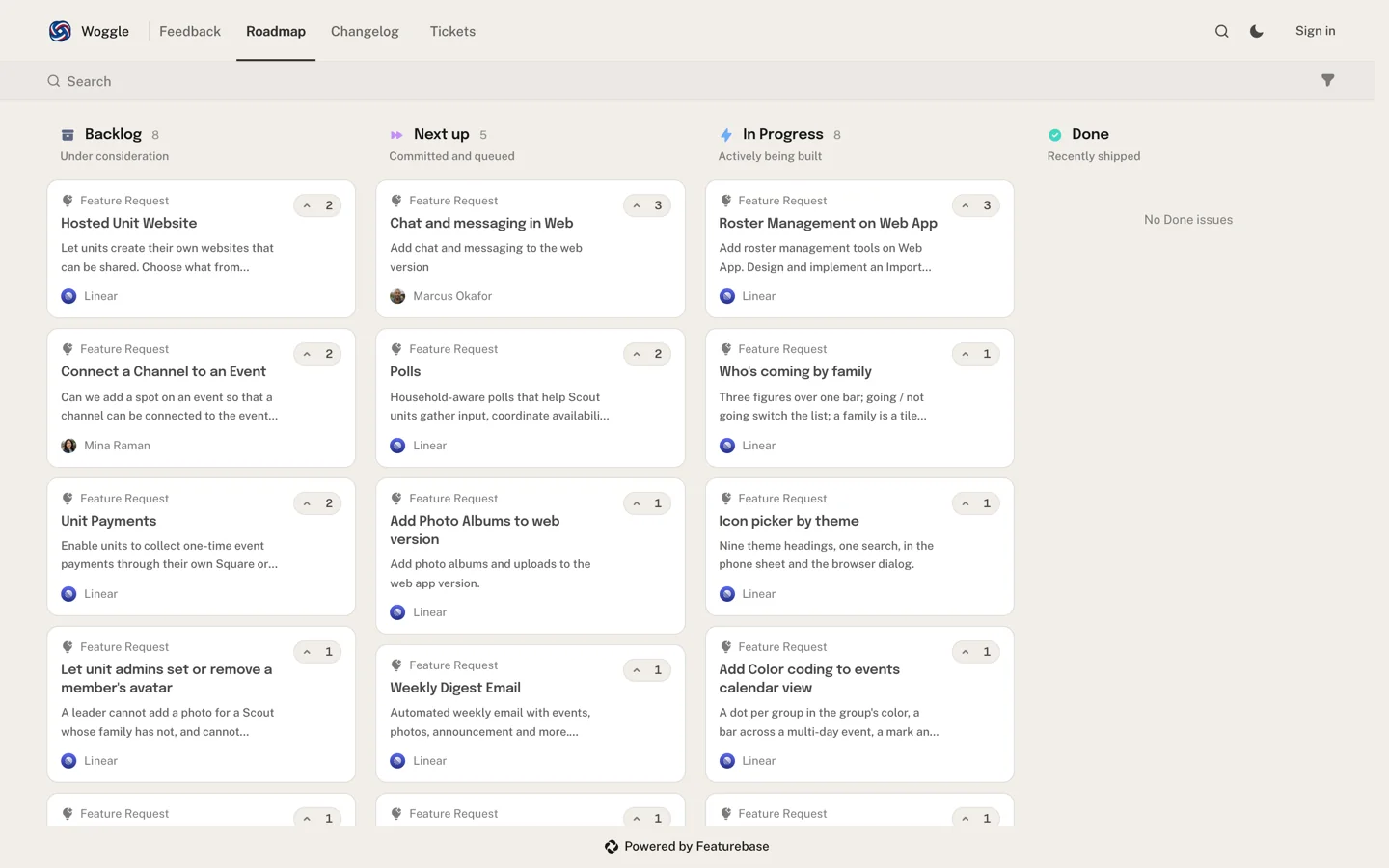
Cards move left to right as an idea goes from consideration to release.
2. Read the columns
Section titled “2. Read the columns”| Column | What it means |
|---|---|
| Backlog | Under consideration. Votes and comments help the team decide. |
| Next up | The team has committed to building it, and it’s in the queue. |
| In Progress | Being built, or finished and waiting for the next Woggle release. |
| Done | Released and in Woggle now. |
Each card shows its board, a short description, and how many people voted for it.
3. Open a card for the details
Section titled “3. Open a card for the details”Select a card to read the full request, its status, and the comments. Sign in to vote or comment. Select Follow this post to get updates when it changes.
4. See what shipped
Section titled “4. See what shipped”When work ships, the Woggle team writes it up in the changelog:
- In the app, open More, scroll to Help, and tap Latest updates.
- On the web, select What’s new at the bottom of the sidebar.
- In a browser, select Changelog in Roundtable. Select Subscribe to get new posts by email.
The Woggle release notes in these guides list every change by version.
Thanks. Your feedback helps us keep this page useful.