
How do I add Woggle to Google Calendar on Android?
Keep your Scout plans alongside the rest of your week. Subscribe once to see Woggle Events in Google Calendar.
1. Open calendar setup
Section titled “1. Open calendar setup”In Woggle, open More. Under Settings, tap Add Woggle to your calendar.
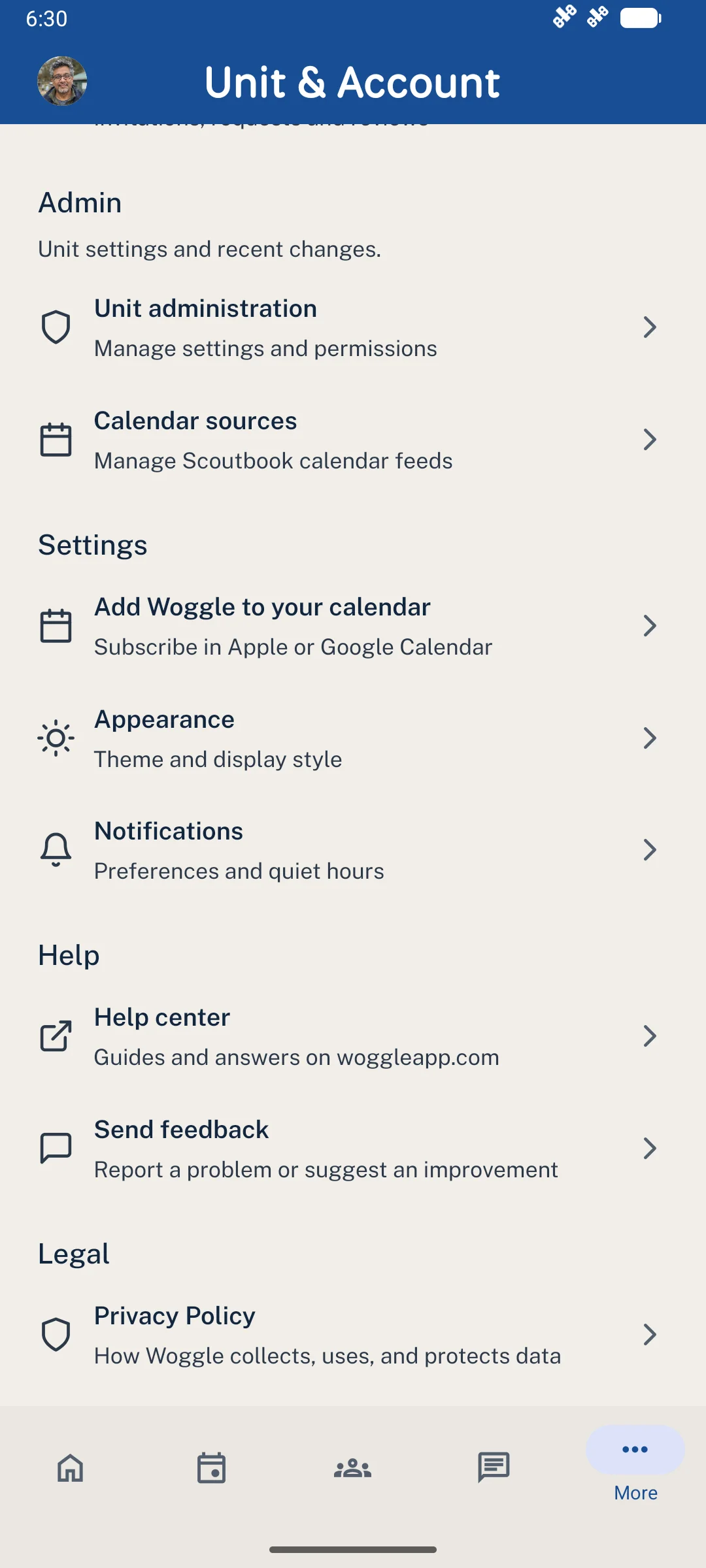
Your personal calendar setup lives in More → Settings.
2. Choose Google Calendar
Section titled “2. Choose Google Calendar”Tap Set up Google Calendar, then Subscribe in Google Calendar. Woggle opens a browser so you can choose your Google account and confirm the subscription if Google offers it.
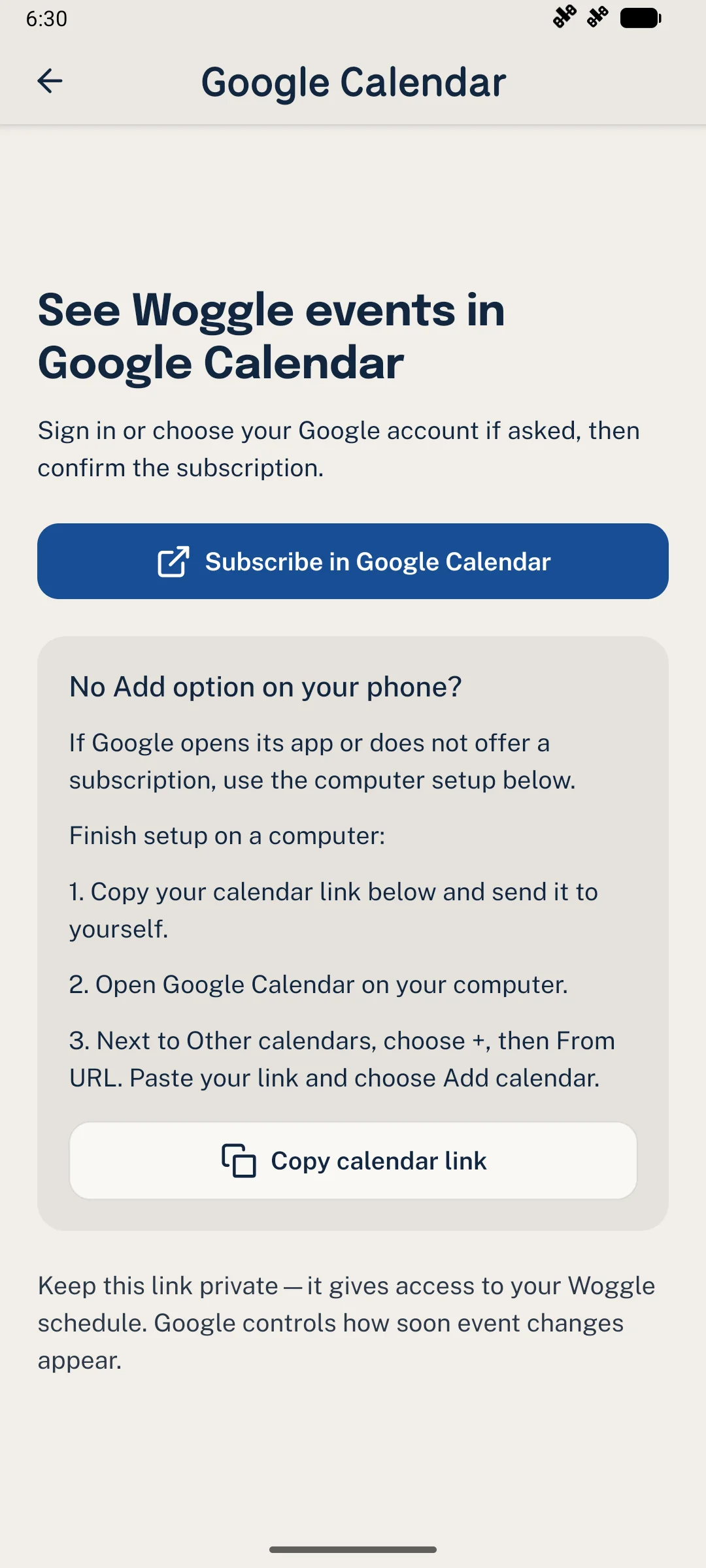
No Add option on your phone? Use the computer steps below.
3. Finish on a computer if needed
Section titled “3. Finish on a computer if needed”Google’s mobile app cannot add a calendar by URL. If the browser opens that app or does not offer Add, tap Copy calendar link in Woggle and send the link to yourself privately.
On a computer, open Google Calendar with the same account. Next to Other calendars, choose + → From URL, paste your link, and select Add calendar. Use a subscription, rather than importing a one-time copy. Google’s setup help has more detail.
Keep the link private: anyone with it can read the schedule it exposes.
4. Show your Woggle calendar
Section titled “4. Show your Woggle calendar”Open Google Calendar on Android. In its menu, select the Woggle calendar so its Events appear. Keep using Woggle for RSVPs, volunteer signups, and conversations.
Need a hand?
Section titled “Need a hand?”- Calendar missing? Check that Google Calendar uses the account you subscribed with and that the calendar is selected.
- Recent change missing? Google controls refresh timing. Check Woggle for the latest details while you wait.
- Already subscribed? Keep one subscription; adding the link again will not speed up updates.
Using an iPhone? See How do I add Woggle to Apple Calendar?.
Thanks. Your feedback helps us keep this page useful.