
How to troubleshoot Woggle
Start with the problem that matches what you see. Each guide keeps the checks for one symptom together so you can confirm the result before contacting Support.
Choose the problem
Section titled “Choose the problem”| What you see | Focused guide |
|---|---|
| An Invite does not open or complete | Fix an Invite problem |
| A Unit, Group, Event, or Announcement is missing | Find missing content |
| A create or edit control is unavailable | Check create or edit access |
| Household members or an RSVP do not match | Fix a Household or RSVP mismatch |
| Push notifications are not arriving | Fix missing notifications |
| Woggle will not install, open, or update | Fix installation, launch, or update problems |
These guides avoid deleting data, resetting an account, or creating duplicate Unit content while the membership, audience, or device problem is still unclear.
For imported or connected Events, use How to connect a Scoutbook calendar to check source health, retry an import, or find where a locked field must be changed.
Find help from More
Section titled “Find help from More”Open More. The screen is headed Unit & Account: your profile and active Unit are at the top, followed by People, any administration controls available to you, and Settings. Scroll to Help and select Help center to open the Woggle guides.
Use Switch unit near the top if you need a different Unit. People → Inbox holds invitations and request reviews; its Pending and History tabs help you track family requests.
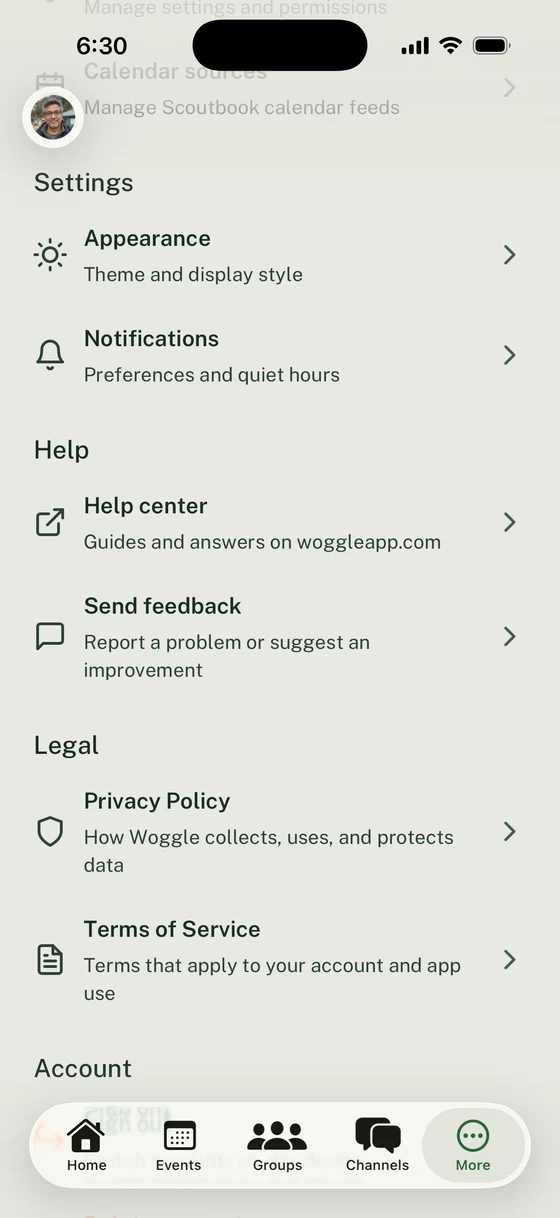
Open a guide or share feedback from the Help section in More.
Send a bug report or suggestion
Section titled “Send a bug report or suggestion”In More → Help, select Send feedback. Choose Bug report, Feature request, or Other feedback and fill in the required Message. For a bug, describe the steps, what you expected, and what happened. Messages can contain up to 5,000 characters.
Read What gets sent before submitting. Feedback includes your Woggle account and app and device details to help Woggle investigate.
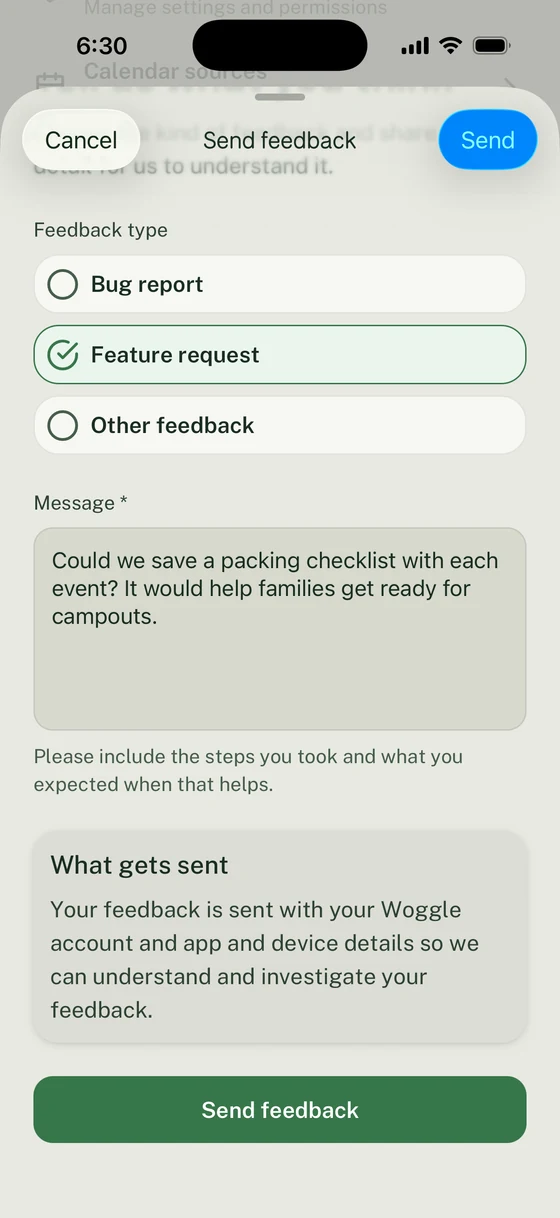
Explain the problem or suggestion and review what accompanies your message.
Select Send in the header or Send feedback below the message. Woggle returns to More and shows Feedback saved. Select Done to close the acknowledgement.
If the form shows Feedback not saved, your message remains available to edit and try again. Dismiss the keyboard if you need to read the full error. If Feedback unavailable appears, check your connection and use Try again. Use the email below if you cannot open the app or still need help. The feedback form does not provide a support conversation or a place to track a reply.
Contact Woggle Support
Section titled “Contact Woggle Support”If you need help with your account, cannot use the app, or the focused guide does not resolve the problem, email support@woggleapp.com with:
- the email address tied to your Woggle account
- the Unit name
- the device model and operating-system version
- the Woggle app version shown at the bottom of More
- a screenshot with personal information and active Invite links or codes removed
- the exact steps you took, in order
- what you expected and what happened instead
For a family request that is still pending, waiting for an account, or already reviewed, open Inbox Pending or History. For an adult account connected to the wrong family profile, use the Household correction guide.
Ask a Unit Admin or Event leader first for role, audience, Group membership, roster, join-request, or RSVP-deadline corrections. Use Woggle Support for account access, installation, update, privacy, or unexplained product problems.
Thanks. Your feedback helps us keep this page useful.