
How do I invite an adult into my Household?
As a Household guardian, you can invite your partner or another parent to use their own Woggle account. First check whether the adult already has a family profile or an account connected to another Household.
1. Before you invite your partner
Section titled “1. Before you invite your partner”| The adult’s situation | What to do |
|---|---|
| They are not listed in your Household | Follow the add-parent steps below. |
| They already have an unused profile in your family | Open the relevant family-request result and use Send account invite or Resend account invite when offered. See request tracking. |
| They have an account in a separate Household | Ask a Unit Admin to check the adult Household correction. |
| They have a profile but no account-invitation action is available | Ask for help with the existing profile. |
An adult’s Household profile shows their account status, but does not offer a general send-invitation button. Do not add the adult again to obtain another invitation.
2. Add the parent’s profile
Section titled “2. Add the parent’s profile”Open More → Household → Add parent. Enter the adult’s first and last names.
The added adult is a Household guardian. If you only need to give someone a Unit role, ask the Unit to use its Unit invitation instead.
3. Send the account invitation
Section titled “3. Send the account invitation”Turn on Send a Woggle account invitation and enter the email address the adult will use for Woggle. Confirm the spelling with them, then select Create and send invite.
To create only the family profile, leave the invitation off and select Create household profile. The profile alone does not give the adult a sign-in.
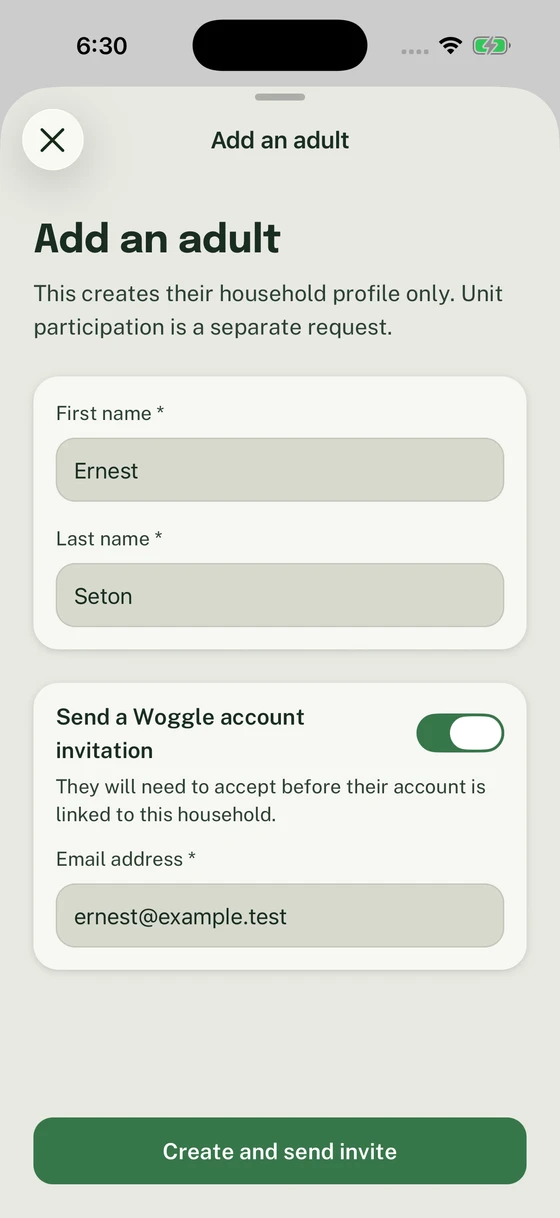
Check the adult’s email before creating the profile and sending the invitation.
4. Have the adult accept as themselves
Section titled “4. Have the adult accept as themselves”The invited adult opens the invitation and follows the sign-in or account-creation steps using the intended email. They should check the named person and Household before accepting. If the wrong account is open, use Not you? before continuing.
If Adult confirmation required appears, read the role and select I confirm I am the adult who should accept this role. before continuing.
If Account already has a household appears, ask a Unit Admin to check Add to a household for that existing adult. The move can match an unused profile or proceed without matching when eligible. A Unit invitation does not move them into your family.
5. Check the account and Unit participation
Section titled “5. Check the account and Unit participation”After acceptance, open the adult’s Household profile and check the Account status. Review their Unit participation separately. From the add-person confirmation, Request participation in the active unit starts that request; Done returns to the family.
If the invitation did not arrive or cannot complete, follow Household invitation troubleshooting.
If a Household request is already open for the selected Unit, the confirmation offers Continue household request for a draft or View household request for a submitted request. Use that existing request instead of starting another one. If Person not added appears, correct the error and retry with the details still in the form.
Thanks. Your feedback helps us keep this page useful.