
How do I set up my Household?
Set up a Household when Woggle confirms that your account does not have one. Your family uses the same Household across Units, so check an unexpected missing-family message before creating another.
1. Open family setup
Section titled “1. Open family setup”Open More → Household. If Woggle shows Set up household, select it.
If you arrived through a family invitation, use Set up my family when offered. This keeps you on the path back to the invitation.
If you expected an existing family but Woggle cannot confirm it, retry or contact Support first. Do not create another Household to get past an error.
2. Create the Household
Section titled “2. Create the Household”Enter a Household name, then select Create household. Check that the new family appears before continuing.
You can rename the Household later without recreating it.
If you started through a family invitation, creating the Household returns you to the family choices. Choose or add the people joining there.
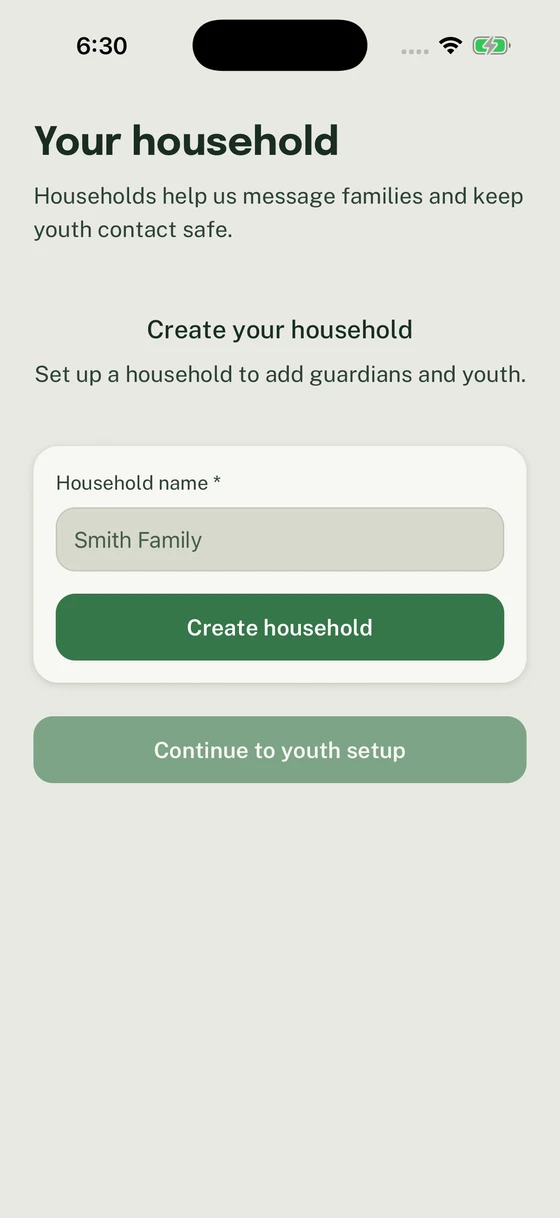
Create the Household once, then add the people who belong to your family.
3. Check the family members
Section titled “3. Check the family members”For setup opened from Household, review the guardian details and follow the setup controls shown. When Woggle offers Continue to youth setup, continue to add the youth who belong to your family. When it offers Save household, save and return to Household.
Use Add a youth or Invite an adult for later additions. Each person should have one profile in your family.
4. Finish the invitation or participation request
Section titled “4. Finish the invitation or participation request”If you started from a family invitation, return to it and choose who is joining. Review each person before submitting.
Creating the Household does not by itself activate Unit participation. Check the family-request result for any remaining approval or account step.
5. Confirm your family
Section titled “5. Confirm your family”Open Household again and check the family name and people. If someone already belongs to another Household or appears twice, use Household profile troubleshooting before adding another profile.
Thanks. Your feedback helps us keep this page useful.