
How do I change a member's registration status?
Confirmed a Scout’s registration or spotted an outdated answer? Update the status on their Unit roster profile.
You need permission to manage the roster. This records what your Unit knows about official registration; it does not register someone with the Scouting organization.
1. Find the member
Section titled “1. Find the member”Check that you are in the right Unit, then open More → Unit roster. Find the person under Active and open their profile.
2. Open Registration status
Section titled “2. Open Registration status”Tap Registration status on the member’s profile. You can edit this for an active member of the selected Unit.
3. Choose the right status
Section titled “3. Choose the right status”Select Registered, Not registered, or Unknown. Choose Unknown when you have not confirmed their official registration yet.
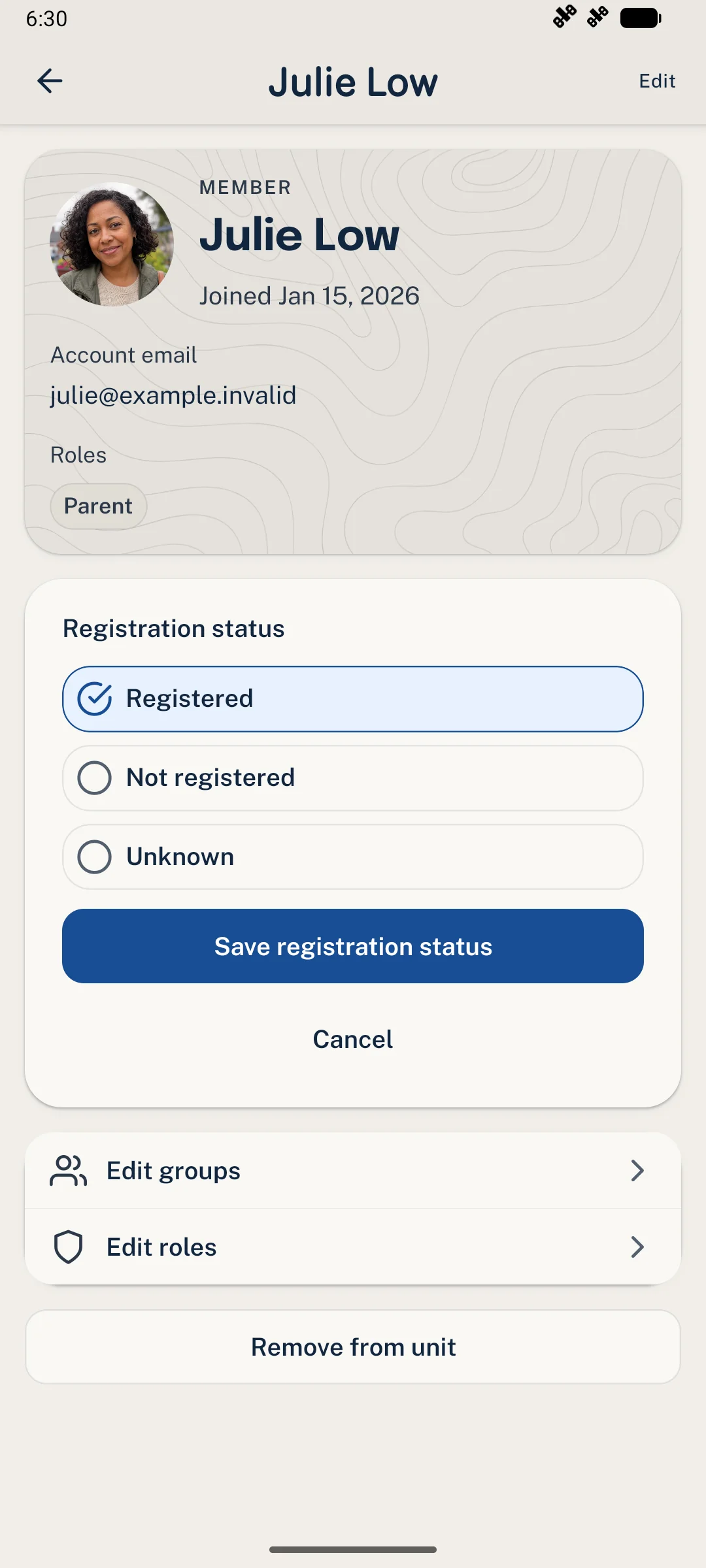
Choose the answer that matches what your Unit has confirmed.
4. Save and check
Section titled “4. Save and check”Tap Save registration status. Look for Registration status updated. and check the new value. Cancel leaves the previous status unchanged.
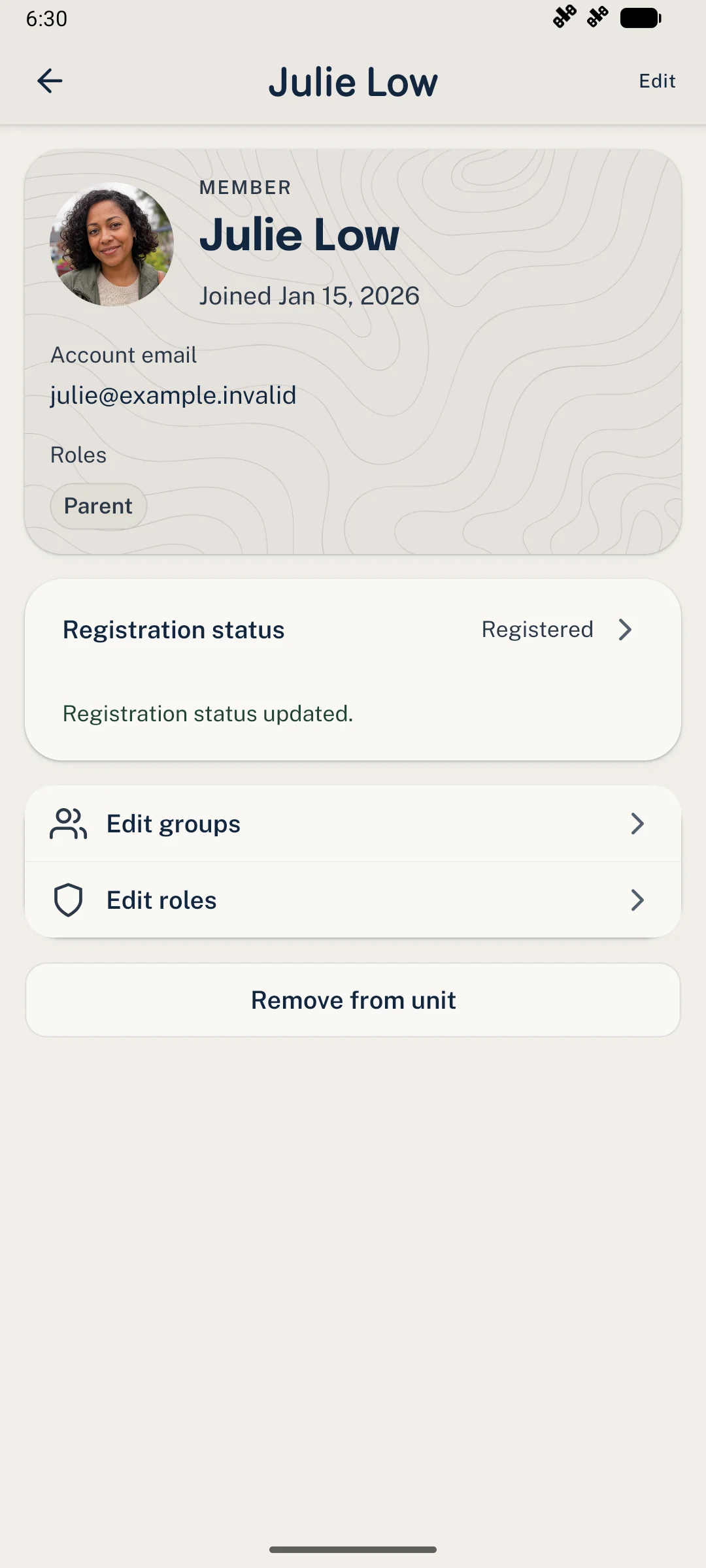
The updated status belongs to this person’s membership in the selected Unit.
Need a hand?
Section titled “Need a hand?”- No edit option? Check that the member is Active and that you have roster-management permission. Ask a Unit Admin if you need help.
- Someone changed the record? Refresh the member’s details, review the current status, and try again.
- Need to change roles or Groups? Those are separate from registration. Start with the Unit roster guide.
Thanks. Your feedback helps us keep this page useful.