
How do I add Woggle to Apple Calendar on iPhone?
See your Scout plans alongside your other appointments. A calendar subscription brings Woggle Events into Apple Calendar.
1. Open calendar setup
Section titled “1. Open calendar setup”In Woggle, open More. Under Settings, tap Add Woggle to your calendar.
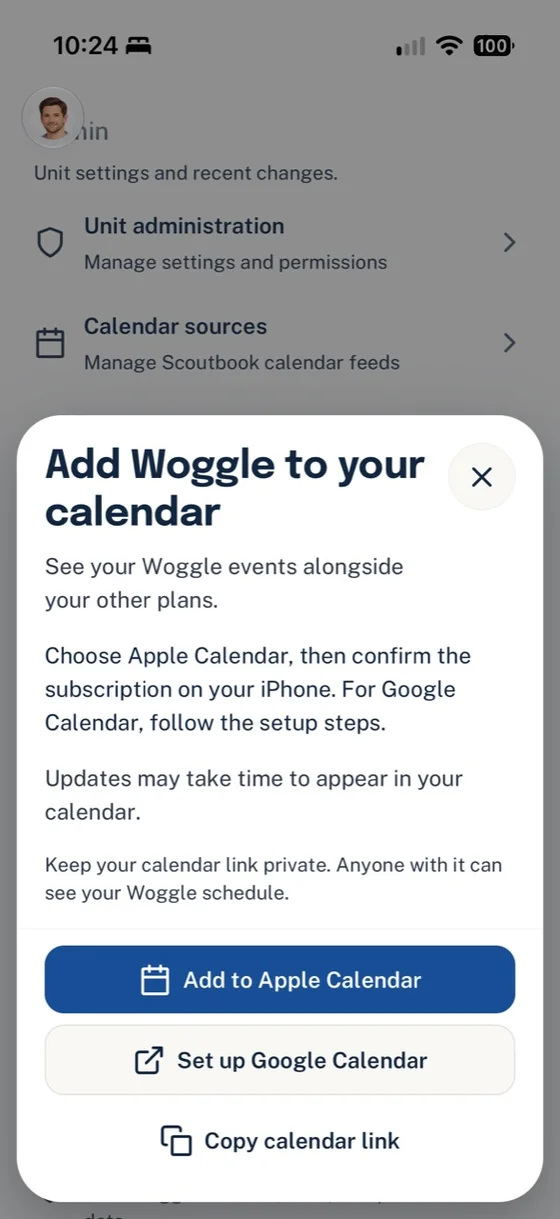
Choose Apple Calendar to keep Woggle Events alongside your other plans.
2. Choose Apple Calendar
Section titled “2. Choose Apple Calendar”Tap Add to Apple Calendar. Review Apple’s subscription prompt and confirm it. The account choices and buttons can vary with your iPhone’s settings.
Keep your calendar link private: anyone with it can read the schedule it exposes.
3. Use the link if Calendar does not open
Section titled “3. Use the link if Calendar does not open”Tap Copy calendar link in Woggle. In Apple Calendar, open Calendars → Add Calendar → Add Subscription Calendar. Paste the link, tap Find, and follow Apple’s prompts.
This adds a subscription so future changes can appear after Calendar refreshes. See Apple’s subscription instructions if your controls look different.
4. Check your calendar
Section titled “4. Check your calendar”In Apple Calendar, open Calendars and make sure the Woggle calendar is selected. Look for an upcoming Event. Continue using Woggle for RSVPs, volunteer signups, and conversations.
Need a hand?
Section titled “Need a hand?”- Calendar missing? Check its selection under Calendars and the account used for the subscription.
- Recent change missing? Apple controls refresh timing. Check Woggle for the latest details while you wait.
- Using Google Calendar on your iPhone? Choose Set up Google Calendar in Woggle and follow the Google Calendar setup steps.
Thanks. Your feedback helps us keep this page useful.