
How do I fix a Household or RSVP mismatch?
Start with the problem you see: a missing Event, a missing family member, or an RSVP that will not save.
1. Check your Scout’s participation
Section titled “1. Check your Scout’s participation”If an Event is missing, first check the selected Unit. Your parent access may depend on your Scout being enrolled in that Unit. Your Scout does not need their own login.
If your Scout is not in your Household
Section titled “If your Scout is not in your Household”On Home or Events, look for the family setup notice.
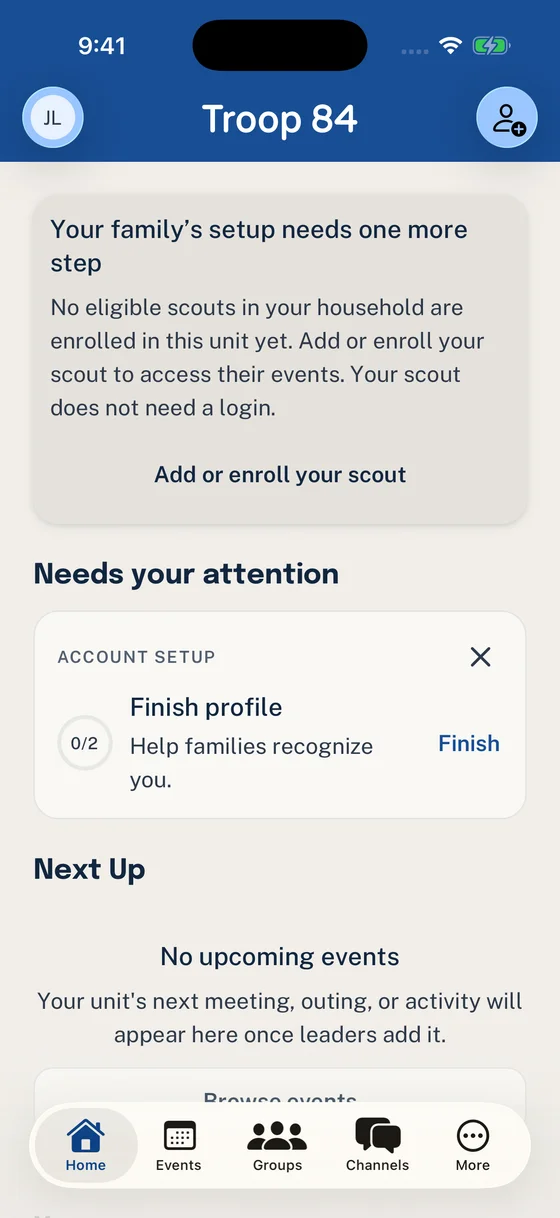
This notice provides the next step when your Scout is missing from the Unit.
- Choose Add or enroll your scout.
- Create your Scout’s profile.
- Select Continue to participation, review the request, and choose Send request.
A leader must approve participation before it changes access. Adding the profile alone is not enough.
If your Scout already has a profile
Section titled “If your Scout already has a profile”Open More → Household and check their participation in this Unit. Follow the family-setup action on Home or Events, or open the existing request if they are waiting for approval.
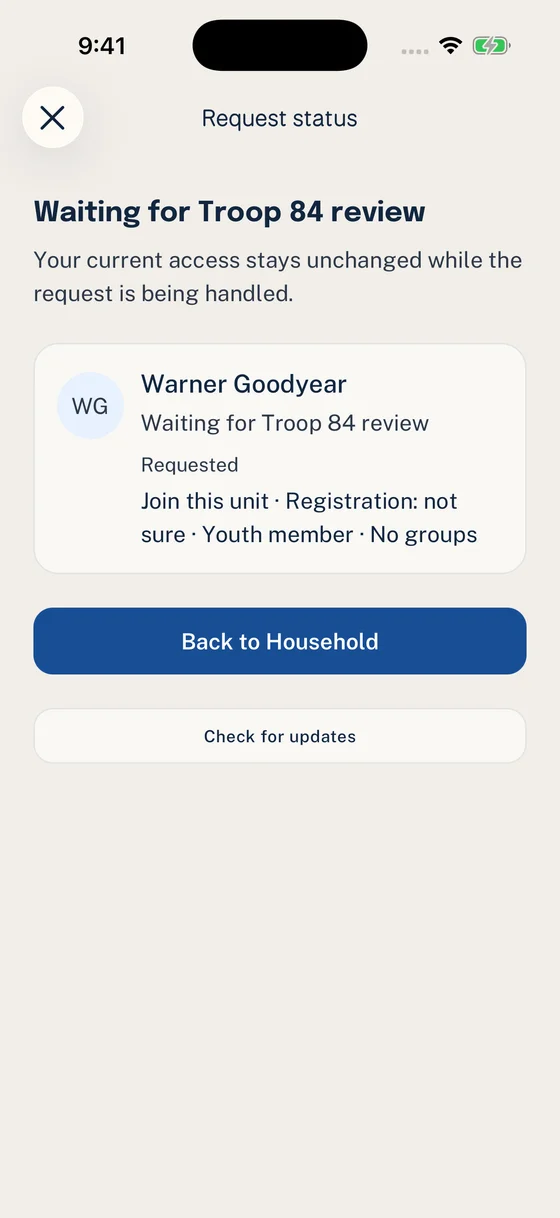
A request awaiting review needs a Unit decision, not another Scout profile.
If their request was declined or they were removed, ask your Unit Admin what needs to change. Use the existing profile; do not create a second one or change registration answers just to make Events appear.
If a person is linked to the wrong Household, follow How to correct a Household connection.
2. Check each response
Section titled “2. Check each response”Confirm Going or Not Going for each relevant person. Clearing a choice leaves that person with No Response.
For the complete family action and response totals, use How to complete a family RSVP.
3. Check the Event setup
Section titled “3. Check the Event setup”If a Youth is correctly linked to the Household but missing from My RSVP, ask the Event creator or a Unit Admin to confirm:
- the Event uses Household attendance
- the Event audience includes the Youth’s Unit or Group membership
- the Youth’s Unit or Group membership is active
Some Events ask for individual responses rather than a Household RSVP. Ask the organizer if you are unsure which applies.
4. Check the deadline
Section titled “4. Check the deadline”If the RSVP deadline has passed, ask the Event organizer whether late changes are allowed.
The problem is resolved when the Event shows the correct response beside each relevant Household member. If the relationships, audience, and deadline are correct but the mismatch remains, use How to troubleshoot Woggle to contact Support.
Thanks. Your feedback helps us keep this page useful.