
How do I move an adult into my Household?
Use this process when an adult with a Woggle account should belong to another Household. A Unit Admin proposes the move, with an optional match to an unused adult profile in the destination family. The moving adult and the destination guardian each review and agree to it.
For example, your partner may have signed up separately after you added their name to your family. Matching replaces that unused profile while keeping their account and history. If there is no duplicate profile, the move can proceed without matching when Woggle permits it.
1. Check whether this correction fits
Section titled “1. Check whether this correction fits”Ask a Unit Admin to open the adult’s active roster profile and check whether Add to a household is available. The destination Household must already be represented on that Unit’s roster. Woggle checks whether the move and required guardian consent are allowed.
The source Household may contain other people; they stay where they are. Read any effects on the moving adult’s access in their existing Units. Matching an unused profile is allowed only when Woggle offers an eligible profile and both names represent the same adult.
If both profiles have accounts, a youth is duplicated, or a child needs to move, use other Household correction options. Do not delete a profile to make it fit this workflow.
2. Have the Unit Admin propose the connection
Section titled “2. Have the Unit Admin propose the connection”The Unit Admin opens the active adult’s roster profile and selects Add to a household. Choose the destination Household, then choose the appropriate path:
- Match an existing profile: select the eligible unlinked adult profile and confirm that both names represent the same person. Use Next profiles or Previous profiles when more matches are available.
- Move without matching: move the account holder into the destination family without replacing another profile.
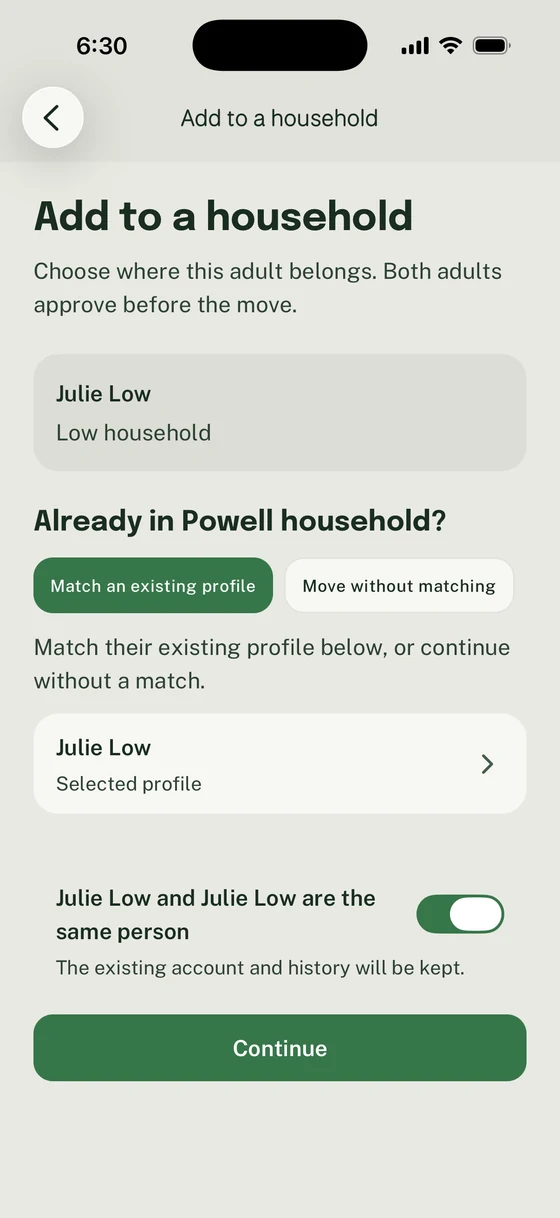
Match only when the existing profile represents the same adult. Otherwise choose Move without matching when offered.
Select Continue, check the names and Households, then Send request. The proposal does not move anyone yet.
If there is no eligible profile to match, use Move without matching when offered. If the move itself is unavailable or the identities are unclear, ask Support to review the existing records. Creating another profile will not resolve those limits.
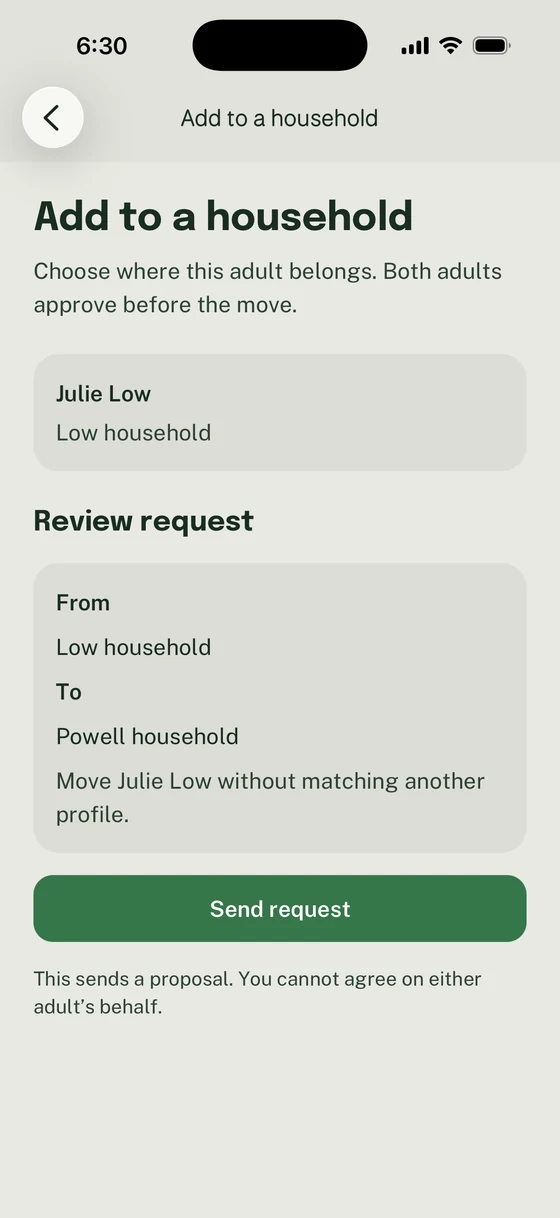
This example moves Julie without replacing a profile. Sending the proposal does not supply either adult’s agreement.
3. Have both adults review the exact plan
Section titled “3. Have both adults review the exact plan”The moving adult and the destination guardian open More → Inbox → Needs action → Review household correction. They can also use the Household corrections icon in the Inbox header.
On Review household move, check the account holder, source Household, destination Household, and any unused profile being replaced. Read Parent access for access gained through the destination family and Source access changes for participation or roles that will end. Other family members stay in their existing Household.
4. Agree or decline
Section titled “4. Agree or decline”After checking the proposal, each required adult turns on I agree to this household change, then selects Agree to this plan. A Unit Admin cannot agree on their behalf. To decline, select Decline this change, then confirm with Decline change. This closes the proposal without applying it.
Both adults must agree to the same current plan. If its details change or it expires, ask the Unit Admin for a new proposal and review that plan again.
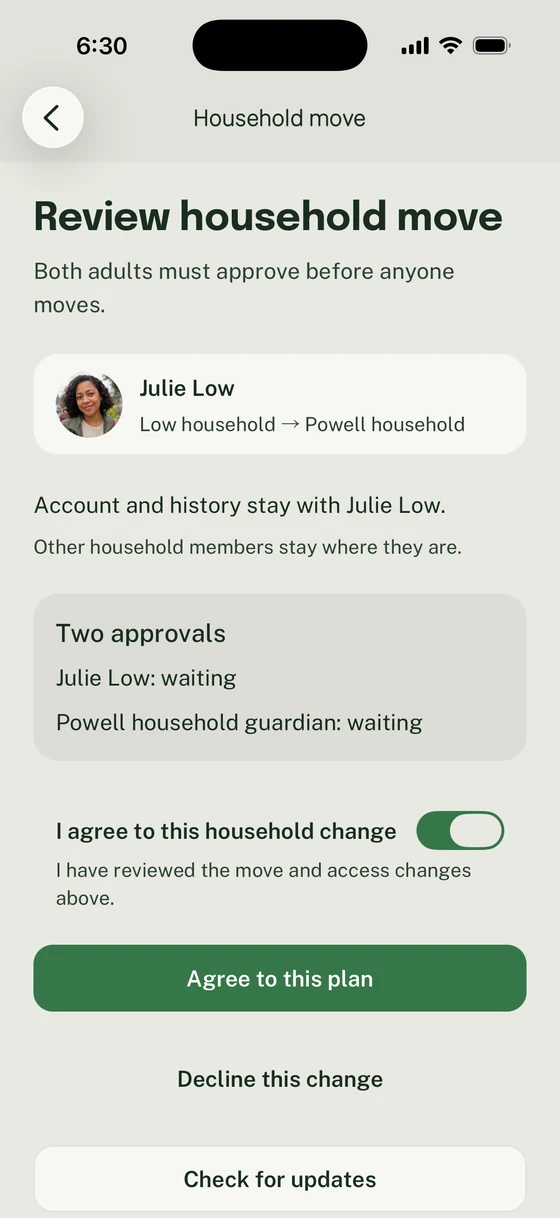
Agree only to the plan you reviewed; the other required adult must also respond.
5. Check the outcome
Section titled “5. Check the outcome”Return to Household corrections and open the proposal. Use Check for updates when offered.
| State | What to do |
|---|---|
| Your agreement is needed | Read the plan and agree or decline. |
| Waiting for the next step | Check the agreement statuses. The other adult may still need to act, or the correction may be waiting to complete. Agreement alone is not proof that the family has changed. |
| Household connected | Select View household and check the adult’s family connection and Unit participation. |
| Declined | The proposed correction was not applied. Discuss the intended connection before asking for another proposal. |
| Expired or Needs a new proposal | Ask the Unit Admin to propose a fresh plan. Previous agreement does not apply to a changed plan. |
The detail screen shows Household move complete after completion. The existing account and history stay with the adult. A matched unused profile is replaced; a move without matching replaces no profile. Access changes follow the reviewed plan, so check both destination and source Unit participation. Independent access outside those listed changes remains separate.
If both adults have agreed but the correction remains waiting, ask Support to check its status. Leave the existing profiles in place while it is reviewed.
Thanks. Your feedback helps us keep this page useful.