
How to review the Unit roster and your Household
Use Unit roster to see who has joined your Unit. Use Household to manage your family’s profiles and participation.
Choose the right view
Section titled “Choose the right view”| Open | What it answers |
|---|---|
| More → Unit roster | Who participates in this Unit and which roles or Groups they have. |
| More → Household | Who belongs to your family and what each person’s participation is in the current Unit. |
| More → Inbox → Needs action | Which invitations and reviews you can act on, including Unit requests you have permission to review. |
| Inbox → Pending | Which requests you sent are still open, plus approved Unit requests waiting for account setup if you are a reviewer. |
| Inbox → History | Completed personal results and the completed Unit decisions you have permission to review. |
Your role and Unit settings control roster visibility. A Household guardian relationship is separate from a Unit role.
1. Check current Unit participation
Section titled “1. Check current Unit participation”Open Unit roster, search for a person, and open their profile. Review their participation, roles, and Groups.
Administrators can distinguish Active, Invited, and Removed records. Invited entries are not active members. Removed records preserve history; they do not grant current access.
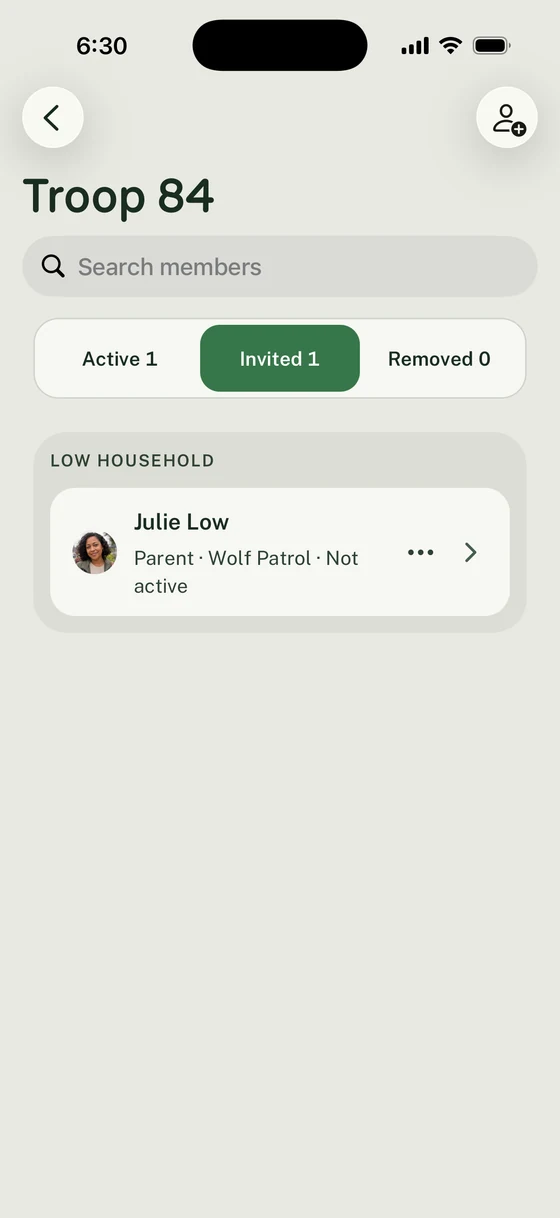
Administrators can distinguish current participants from Invited and Removed records.
Find parents who need help enrolling a Scout
Section titled “Find parents who need help enrolling a Scout”Tap the small filter icon at the top of the roster. In Show members, choose Parents with no scouts in this unit. Choose All members to return to the full list.
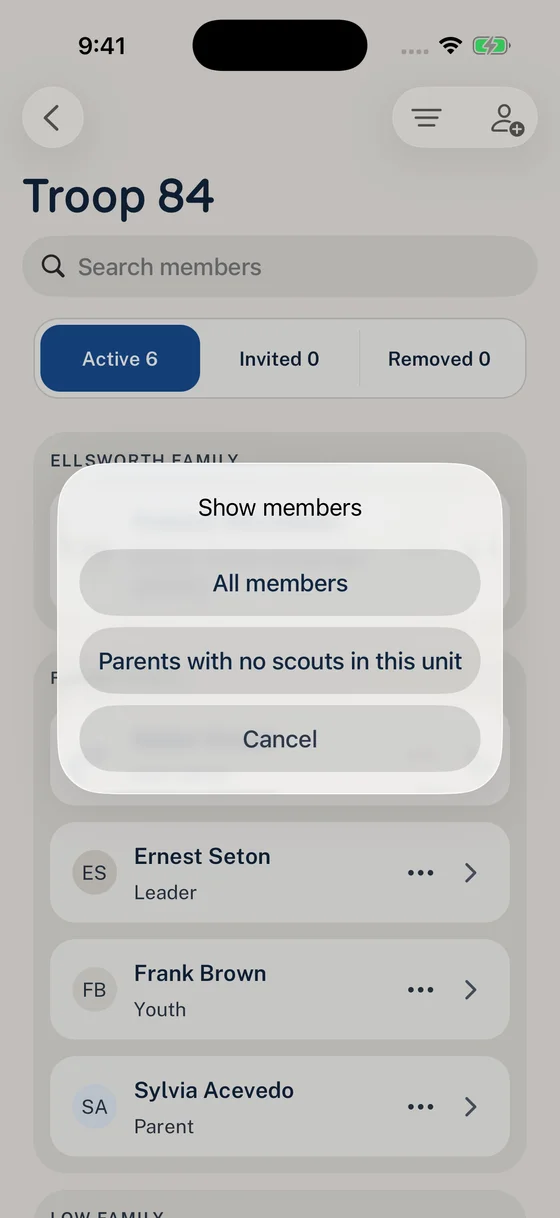
Choose the parents who need follow-up without sorting through enrollment statuses.
Check the reason beneath each parent’s name. Help them add or enroll their Scout, or review an existing request if it is waiting for approval.
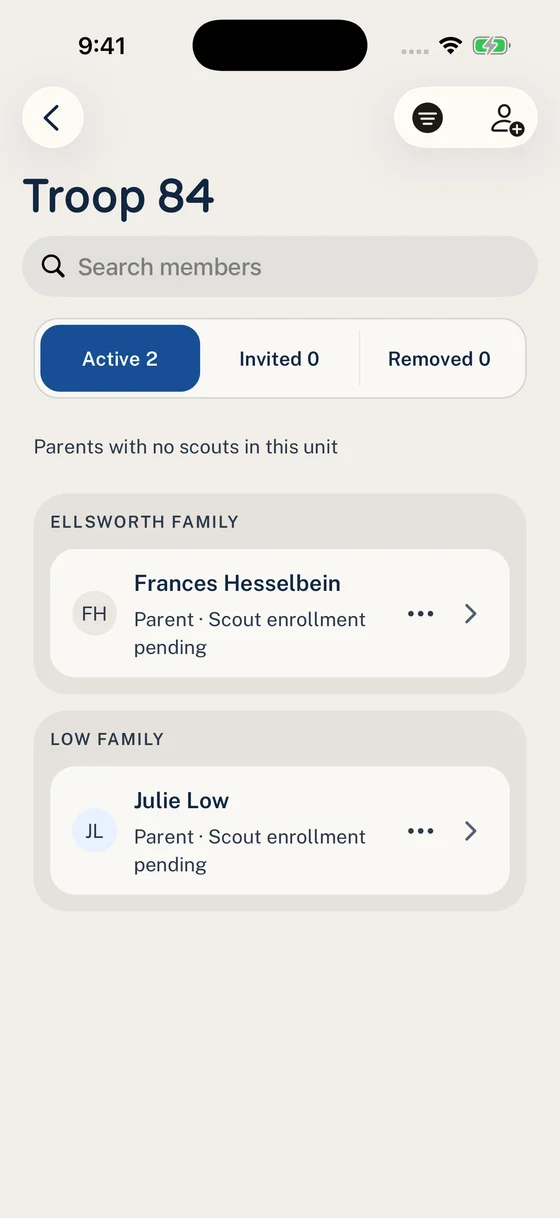
The reason on each row helps you decide whether to contact the parent or review a request.
2. Check Household and account details
Section titled “2. Check Household and account details”Open Household, then a person’s profile. Check their participation in the current Unit.
Scouts can have profiles without their own Woggle accounts. Their guardians manage eligible Events through the Scout’s Unit participation. Adding a profile to a Household does not enroll that person in a Unit.
A linked account means the person can sign in. Registration answers describe official registration; they do not register the person or assign a Unit role.
Need to correct an answer? Roster managers can change an active member’s registration status.
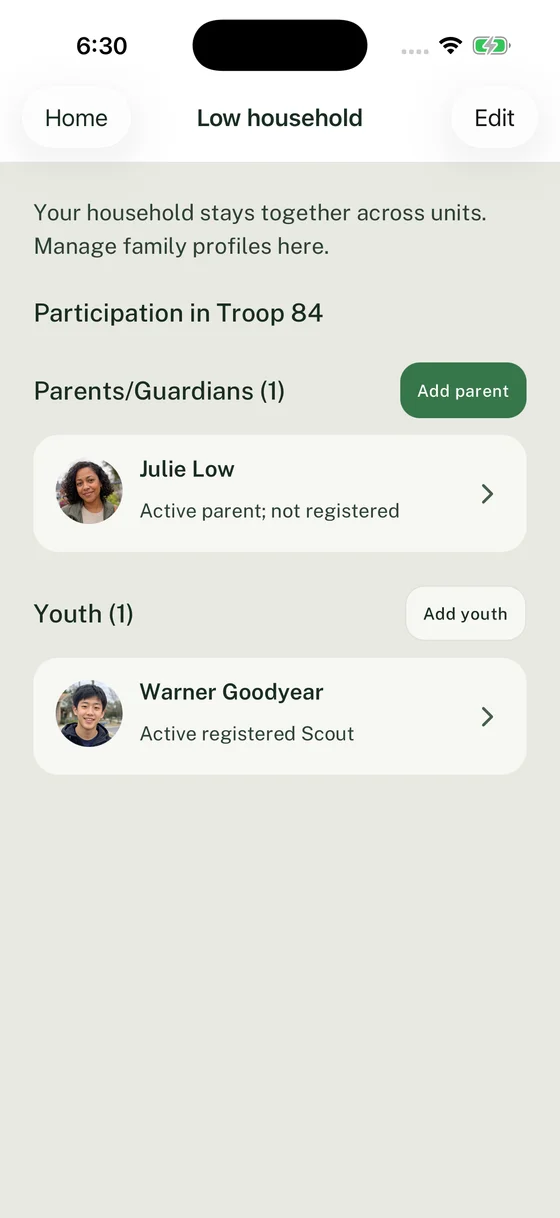
Read current participation separately from whether someone has their own account.
3. Use the existing person for changes
Section titled “3. Use the existing person for changes”For family additions and participation changes, follow How to manage your Household. For a returning member, start with the existing profile rather than creating a duplicate.
A Unit Admin can prepare a person with Add from official roster. The resulting invitation and Invited entry still need the appropriate acceptance or review before participation becomes active. How to invite members explains this path.
If an adult account and an unused family profile represent the same person, use the Household correction guide.
4. Edit current or invited Groups
Section titled “4. Edit current or invited Groups”Open the person’s roster profile and select Edit groups when permitted. For an active member, the saved selections change current Group membership. For an invited person, the selections describe the Groups they will join after acceptance; saving them does not activate the person.
Select Save, then check the roster profile. If This invitation changed appears, compare Latest invitation groups with your choices and use Refresh invitation if offered. If you can no longer edit the invitation, reopen the profile to check whether the person joined or needs a new invitation.
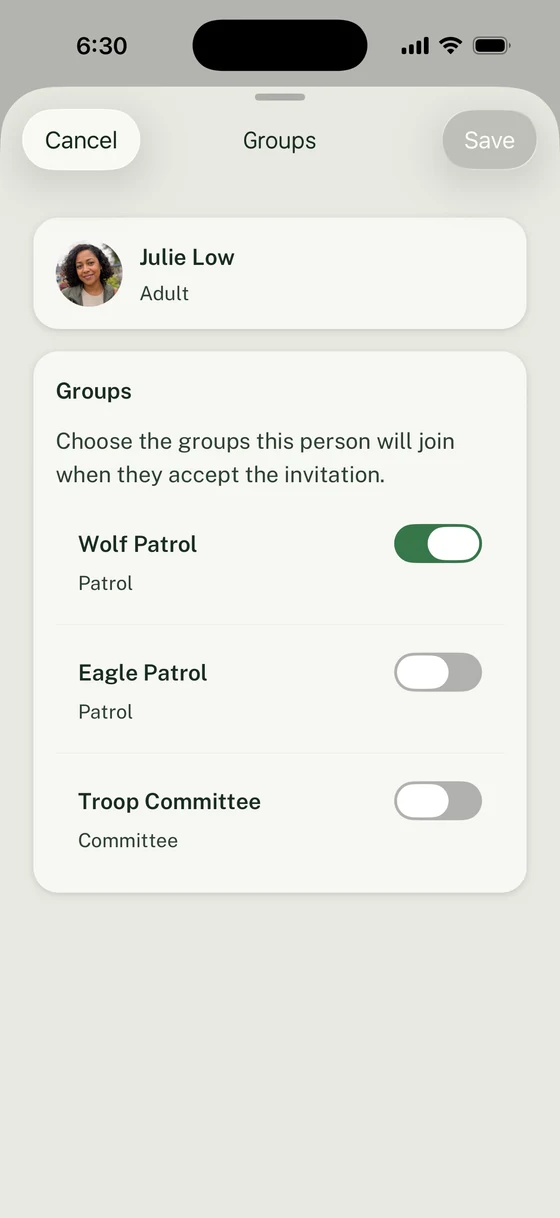
Review the invited person’s Group assignments. Save becomes available after you change a selection.
5. Review requests and results
Section titled “5. Review requests and results”Unit reviewers should review each person and finalize the family request. Families can track the result in Inbox, including account invitations still needed after approval.
Before an Event, check the eligible people shown in its RSVP form. If someone is missing, use RSVP troubleshooting to check participation and visibility before adding another profile.
Thanks. Your feedback helps us keep this page useful.