
How do I edit a Household member’s details?
A Household guardian can edit a youth in their family. Adults manage their own profile details; being a guardian does not let you edit another adult’s profile.
1. Open the correct person
Section titled “1. Open the correct person”Open More → Household and select the youth or your own profile. Check the person’s name before making changes.
If there are two profiles or the person belongs to the wrong family, follow Household profile troubleshooting. Renaming a profile does not correct which account or family it is connected to.
2. Change a child’s name or other profile details
Section titled “2. Change a child’s name or other profile details”In Profile, correct the Display Name, First Name, or Last Name as needed. Other fields appear when available for that profile. Keep the change limited to the detail that is wrong.
For your own adult details, you can also open More, select the profile card with your name, edit the fields, and select Save. Ask another adult to correct their own profile while signed in as themselves. If an unused adult profile needs correction and its owner cannot access it, contact Support about that existing profile.
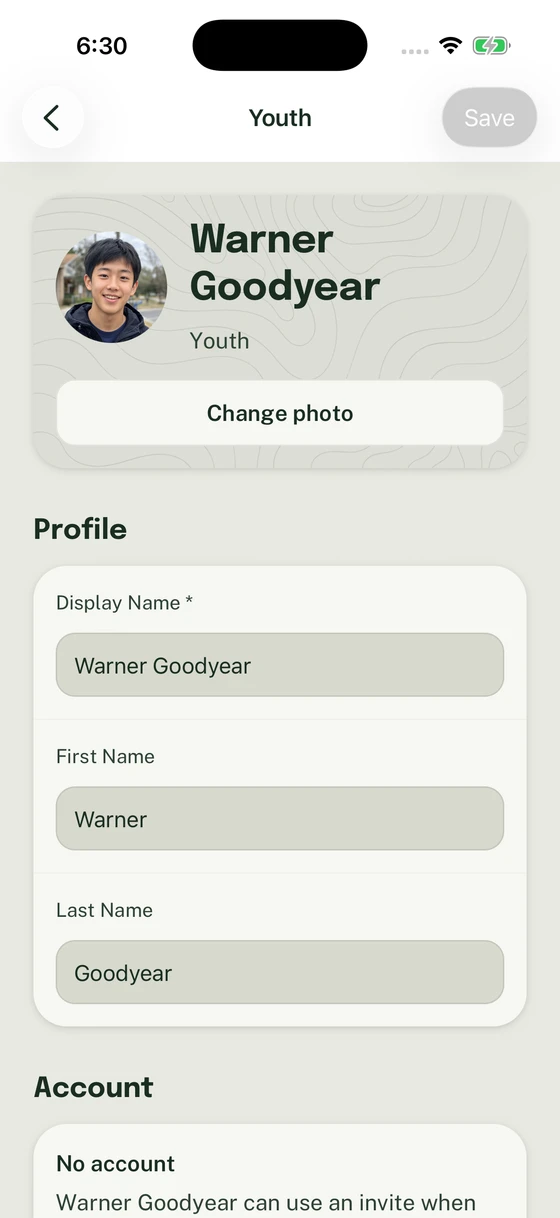
A guardian can correct a youth’s details in the existing family profile.
3. Save and check the result
Section titled “3. Save and check the result”Select Save. Reopen the profile and confirm the corrected details. If you leave with unsaved edits, follow the prompt to stay or discard them; discarded edits do not change the saved profile. If Woggle reports a validation or access error, follow that message before trying again.
4. Change participation or the family name separately
Section titled “4. Change participation or the family name separately”Use Unit participation requests for registration, roles, or Groups. To change the name of the family as a whole, rename the Household.
If the expected editing controls are unavailable, check Household guardian access.
Thanks. Your feedback helps us keep this page useful.