
How do I invite my child to sign in with their own account?
A Household guardian can help their child sign in with their own Woggle account by sharing an invitation from the existing youth profile. The youth keeps that profile and its participation when their sign-in is connected.
Read Woggle’s Youth Suitability and Child Safety Standards before setting up a youth account.
1. Open the existing youth profile
Section titled “1. Open the existing youth profile”Open More → Household, then select the youth. If the child is missing, add the youth profile first. If the profile already shows a connected account, help the youth use that account rather than creating another profile.
2. Open the account invitation
Section titled “2. Open the account invitation”In Account, select Show invite. Check that the invitation names the correct youth and Household.
3. Share the invitation with the youth
Section titled “3. Share the invitation with the youth”Use Share or Copy Invite Link to send the invitation directly to the intended youth. The invitation also offers Save to Photos for its card. Keep the code and link private.
If Invite code unavailable appears, refresh the profile after the Household has loaded and try again. See Household invitation troubleshooting if it is still unavailable.
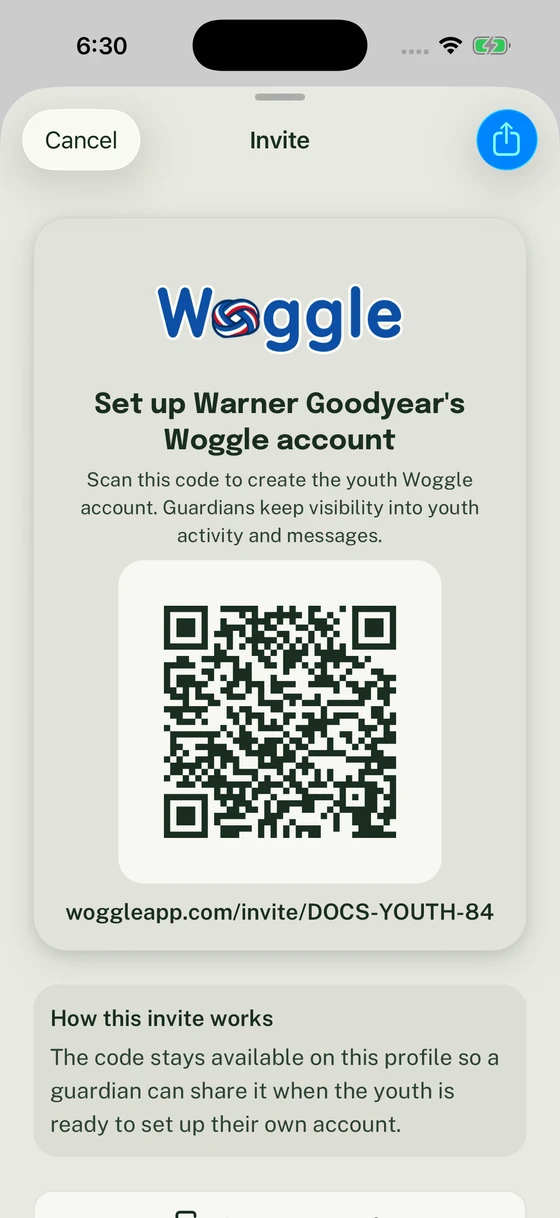
Share the invitation from the existing youth profile when they are ready to connect their account.
4. Help your child sign in
Section titled “4. Help your child sign in”Have the youth open the invitation and follow the account steps as themselves. Check the named profile before accepting. If a guardian’s account is open, switch to the intended account first.
5. Confirm the account connection
Section titled “5. Confirm the account connection”Return to the youth’s Household profile and check Account. The child should still appear once in the family, with their existing Unit participation attached to the same profile. Their Unit participation remains a separate detail; use participation requests if they also need to join a Unit.
You can create a youth profile without an account invitation and return to Show invite when the youth is ready.
Thanks. Your feedback helps us keep this page useful.