
Use this rollout kit when your Scout unit is ready to introduce Woggle to families. The goal is not to explain every feature. The goal is to help families complete one useful action: join the right Unit, open the next Event, RSVP for their Household, and know where leaders will post updates.
What You Will Do
- choose one upcoming Event as the rollout anchor
- prepare the Unit, starter Groups, and Household Invites
- publish a clear Event with RSVP and optional volunteer roles
- send one launch Announcement and one old-channel message
- follow up during the first week without duplicating every detail everywhere
Woggle does not replace Scoutbook, official records, council forms, medical forms, Youth Protection guidance, or unit judgment. It gives units a calmer coordination layer for Events, RSVPs, Announcements, volunteer roles, reminders, Groups, and Household visibility.
Before You Start
Pick a rollout owner and one backup. A communications chair, committee chair, Cubmaster, Scoutmaster, or unit admin can own the first week, but avoid spreading responsibility across five people before the process is clear.
Gather:
| Prepare this | Use it for |
|---|---|
| Active family roster | Sending Invites and checking Households |
| Unit or Group list | Keeping the first rollout audience focused |
| One upcoming Event | Anchoring adoption around a real task |
| RSVP deadline | Giving families a reason to respond now |
| Volunteer needs | Showing follow-through beyond announcements |
| Old communication hub | Pointing families from the old habit to Woggle |
If your roster is imperfect, start with active families for the first Event. Do not delay the launch until every historical record is cleaned up.
Day 0: Choose the First Real Action
The first Woggle action should be something families already need to do. A campout RSVP, service project headcount, pack meeting volunteer ask, court of honor setup role, hike attendance check, or den outing reminder will work better than a generic “please download this app” announcement.
Use this test:
- Does the Event already matter to families?
- Does a leader need a count, response, or volunteer follow-up?
- Can the first action be finished in five minutes?
- Will families understand why Woggle is better than another buried message?
For most units, the best first action is: “Open this Event and RSVP for your Household by Tuesday night.”
Day 0: Prepare the Unit
Before inviting everyone, make the Unit recognizable. Use the name families already say out loud, such as Pack 312, Troop 48, Girl Scout Troop 7412, or Pack 312 Committee.
Create only the starter Groups you need for the first month. For a pack, that may be pack-wide, dens, and committee. For a troop, that may be troop-wide, active patrols, adult leaders, and committee. If a Group will not receive a separate Event, Announcement, or volunteer ask soon, wait.
For a setup checklist with more detail, use Woggle Quick Start for Unit Admins.
Day 1: Invite Households
Send Invites in a way that matches how your families are actually gathered. Some units will send individual Invites before a meeting. Others will use a QR code during parent orientation, a committee meeting, or a pack night.
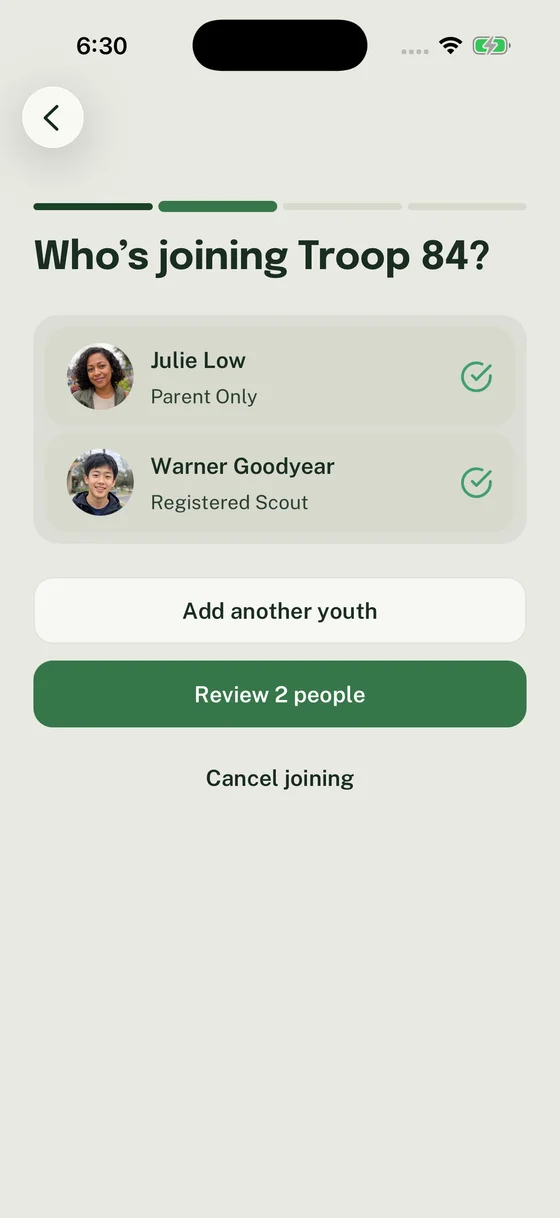
Share How to join as a family and ask adults to use their existing Woggle account when they have one. A family request covers selected people; each person can have a different result. Ask families to track their requests and assign a Unit Admin to review family requests. During the first week, assign one person to watch for missing adults, duplicate accounts, youth-only records, or families that need a second guardian connected.
Day 1: Publish the Anchor Event
Create the Event before you ask families to change behavior. The Event should answer the questions that usually create extra texts:
- date, start time, end time, and location
- who should attend
- what to bring
- RSVP deadline
- cost, food, gear, form, or permission slip notes
- volunteer roles, if the Event needs help
- where updates will be posted
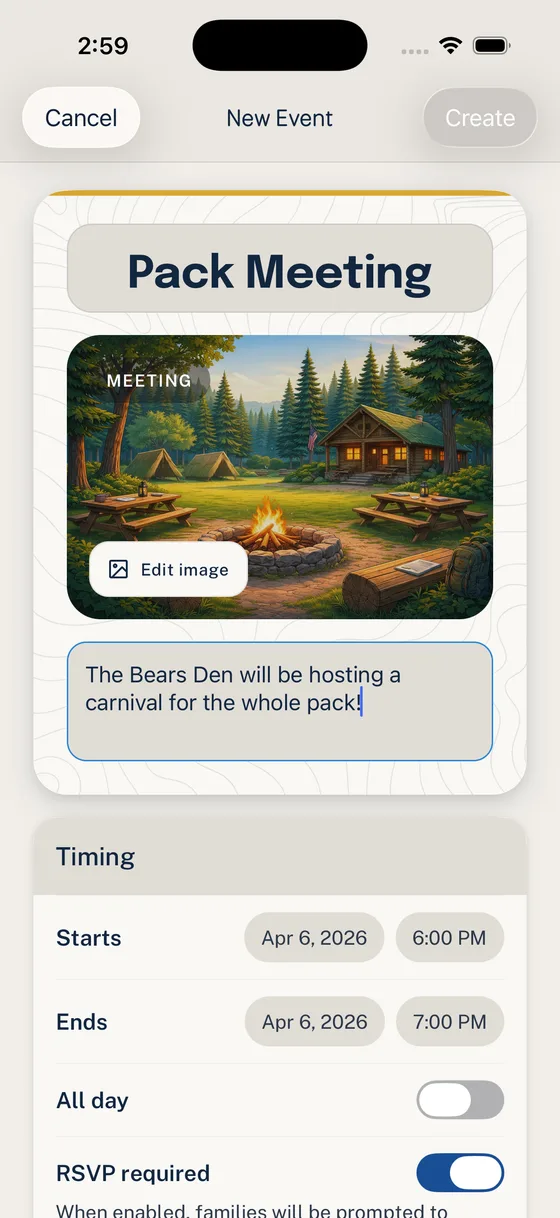
Turn on RSVP when leaders need a usable count. If volunteer help is part of the plan, add one or two specific roles rather than a broad “help needed” note.
For the detailed event workflow, read Run Your First Event End to End.
Day 2: Send the Launch Message
The launch message should point to one action. Do not introduce every Woggle feature, explain every future policy, or copy the full Event into the old channel.
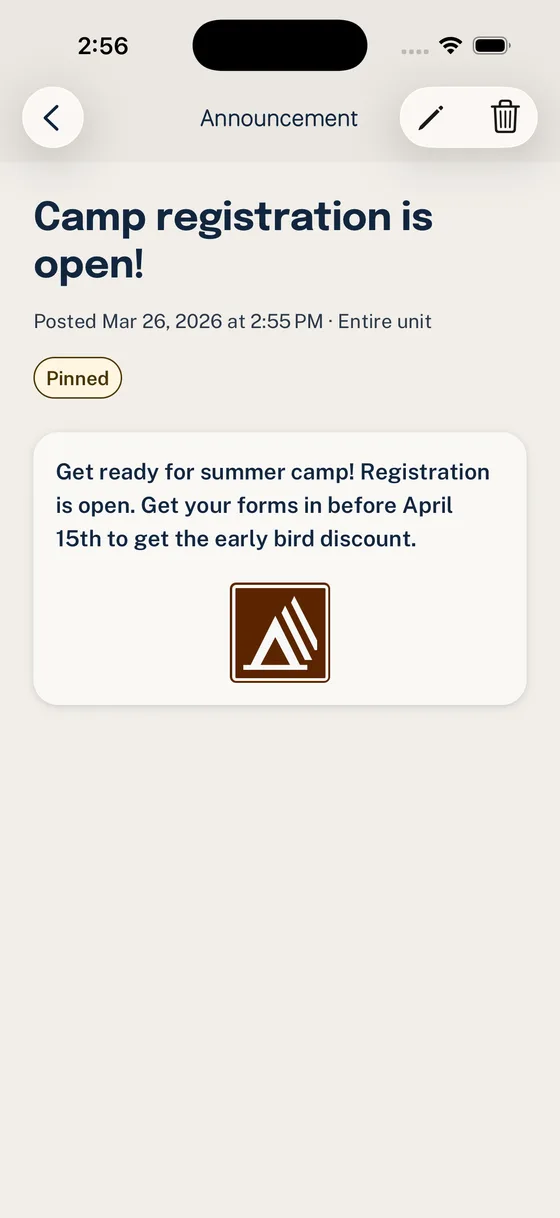
Post the Event in Woggle, then send a short Announcement inside Woggle and one matching message in your old channel. For the first week, the old channel is a signpost, not a second source of truth.
Copy-Paste Launch Message
Use this in email, GroupMe, text, or wherever your unit currently reaches families:
If your unit has families with shared custody, multiple guardians, language needs, or limited phone access, add a line telling them who to contact privately for help. Keep sensitive family details out of public threads.
Week 1: Follow Up Without Recreating the Old Chaos
During the first week, leaders will be tempted to keep every detail in both places. That feels safer, but it teaches families that Woggle is optional.
Use a simple cadence:
| Timing | What to do |
|---|---|
| Launch day | Send Invite, publish Event, send launch message |
| 24 hours later | Check who has joined and help stuck Households |
| 48 hours before RSVP deadline | Send a short reminder pointing to the Event |
| Deadline day | Follow up with missing responses |
| After the Event | Note what confused families and fix the next rollout |
Keep reminders short:
Do not paste the whole Event into the reminder. If something important changed, update the Event first, then announce that the Event was updated.
Check Your Rollout
Before the first deadline, confirm:
- families can tell which Unit they joined
- the next Event appears for the right audience
- RSVP expectations are plain
- at least one leader is watching unanswered Invites
- the old channel points to Woggle instead of duplicating every detail
- volunteer roles are specific enough to claim
- families know whom to contact if their Household looks wrong
If a parent says, “Where do I RSVP?” the rollout message was not specific enough. If another guardian needs access, check their existing Household profile and Unit participation before sending another Invite. Manage your Household explains profile, account-link, and participation changes.
What Woggle Is Not
Woggle is not the official advancement record, registration database, medical form store, payment processor, or source of Youth Protection rules. Keep those responsibilities in the systems and processes your unit, council, and chartered organization expect.
Woggle is for the coordination work around the plan: Events, RSVPs, Announcements, reminders, volunteer roles, Groups, and Household visibility. That boundary helps leaders explain the tool honestly and helps families know where to look.
Next Step
After the first Event, send families the quick start for parents and guardians. Then choose one second habit to move into Woggle: recurring Event RSVPs, volunteer roles, or Announcements that point back to Events.
Do not try to move every unit habit at once. A calm rollout starts with one useful action, follows through, and repeats.
For adoption strategy beyond the product steps, use How to Get Parents to Actually Use a New Scout App.
Pair the checklist with the seven copy-and-paste rollout emails, or give leaders the Woggle product tour before asking them to change a workflow. Committee leaders can use Woggle for committee chairs to make ownership and follow-up visible.


