
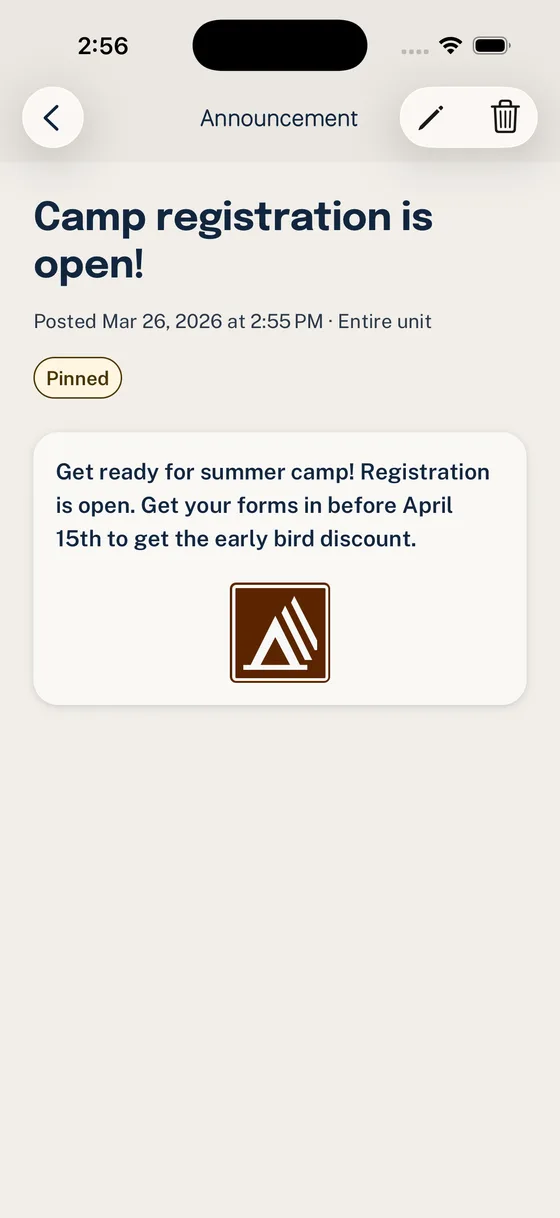
Group chat is good at helping people talk, and Woggle includes group conversation as a key part of unit communication. The difference is that Woggle does not stop at chat. Scout units also need a place where the event plan, RSVP, volunteer needs, announcement, and reminder all stay connected after the first notification disappears.
That is the practical difference between Woggle and a generic group chat app. Woggle is not trying to eliminate conversation or make leaders choose between chat and structure. It gives units group chat through Channels, then connects that conversation to the coordination work chat alone usually cannot carry.
Use this guide when your unit is deciding whether “one more chat” will actually solve the problem.
The Short Version
Group chat apps are useful for informal conversation, quick questions, social updates, and parent chatter. Woggle supports that kind of group conversation too. Where Woggle goes further is in the durable work around the conversation: Events, RSVPs, Announcements, Groups, volunteer roles, reminders, and Household context.
Woggle is a purpose-built communication and coordination layer for Scout units. It is designed around Unit, Group, Household, Event, Announcement, Invite, RSVP, volunteer role, and Channel concepts. Those terms matter because Scout coordination is rarely just a message.
| Unit need | Group chat app | Woggle |
|---|---|---|
| Quick conversation | Strong fit | Built in through Channels tied to unit context |
| Group chat spaces | Core feature | Core feature, plus Group and Channel structure |
| Event details | Easy to bury | Attached to the Event |
| RSVPs | Replies, reactions, or side texts | Household-aware responses |
| Volunteer roles | Usually a message or separate signup | Attached to the Event |
| Announcements | Another post in the stream | Durable update families can find later |
| Groups and audiences | Depends on chat setup | Built around Unit, Group, and Channel structure |
| Family visibility | Often individual-account based | Coordinated through Household context |
| Official records | Not the right owner | Not the right owner |
Neither Woggle nor a group chat app should replace Scoutbook, Scoutbook Plus, council systems, required records, advancement tracking, Youth Protection training, or your unit’s approved policy process. The comparison is about day-to-day coordination, not official recordkeeping.
Why Chat Starts to Break Down
Most units do not adopt group chat because they are careless. They adopt it because email is slow, texts are fragmented, and parents need quick updates. For a while, that feels better.
Then the unit starts using the same thread for everything:
- “Who is coming Saturday?”
- “Can someone bring cups?”
- “The location changed.”
- “Where was the permission slip?”
- “Is this for the whole pack or just Bears?”
- “Did anyone see the reminder?”
The problem is not that families are ignoring leaders. The problem is that the thread is carrying too many jobs at once. A conversation stream is not a source of truth, a signup sheet, a family RSVP, an event page, and an announcement archive all at the same time.
For a deeper look at that pattern, read why group chat fails Scout unit coordination.
What Woggle Is
Woggle is a Scout-unit communication and coordination layer. Its job is to give units the group conversation they expect, then put the actionable parts of unit life in a structure families can revisit.
That includes:
- Channel-based group chat for unit conversation
- Events with details families can check later
- Household RSVPs that match how families actually attend
- Volunteer roles connected to the activity that needs help
- Announcements that remain findable after the first notification
- Groups and Channels that reflect real unit audiences
- Reminders and follow-through that point back to the source of truth
- Household context for parent and guardian visibility
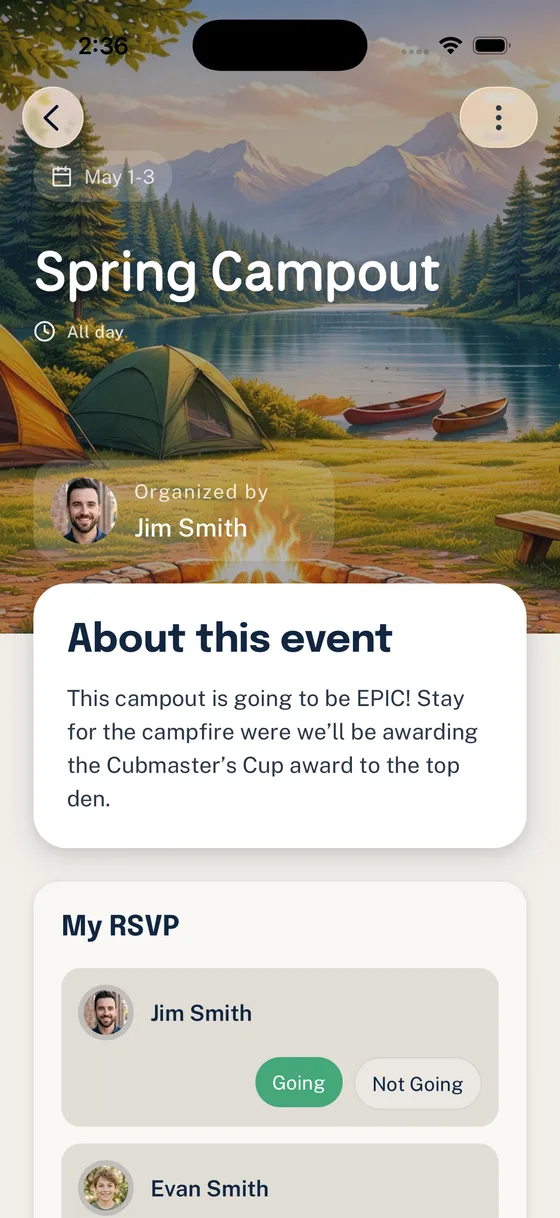
The point is not more software for its own sake. The point is to keep chat useful without asking one message thread to remember everything.
What Woggle Is Not
Woggle is not:
- a replacement for Scoutbook or Scoutbook Plus
- an advancement tracking system
- an official Scouting record system
- public social media for the unit
- a guarantee of Youth Protection compliance
- a reason to ignore council, chartered organization, or unit communication expectations
- a tool that eliminates every need for conversation
This boundary is important. Woggle should make coordination clearer, not blur official responsibilities. If the question is about advancement, required records, training, policy, or sensitive documentation, use the official system or process your unit is expected to use.
Events Need More Than a Chat Message
A Scout Event is not just a date. It may need arrival notes, pickup time, location, uniforms, gear reminders, food counts, adult coverage, sibling expectations, weather changes, and a final headcount.
In group chat, those details often arrive as separate messages. One parent reacts with a thumbs-up. Another replies “we can drive.” Someone asks whether siblings are included. A leader pins the latest message, but a later conversation buries the context again.
Woggle treats the Event as the place where the plan lives.
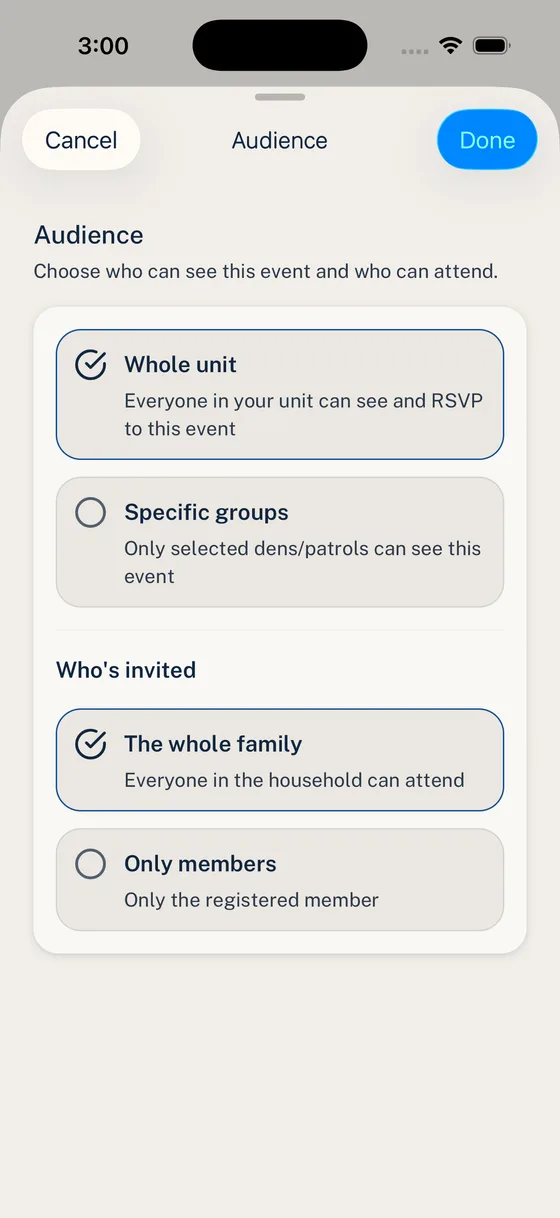
That difference matters most when a family checks the plan the night before. They should not have to search a chat thread to find the current answer.
RSVPs Should Match Households
Scout families do not always participate as single individual accounts. A Household may include one or more Scouts, two guardians, siblings who attend some events, and adults who can volunteer in different ways.
Group chat often reduces that to a loose reply:
- “We are in.”
- “Maybe.”
- “Dad can drive.”
- “Just Liam.”
- “I thought we replied already.”
Those answers may be understandable to the family, but they still leave the event chair translating conversation into a real count.

This is where a Scout-specific workflow earns its keep. The RSVP should create a planning answer, not another message for a leader to interpret.
Announcements Should Stay Findable
Some updates need to be noticed quickly and found again later. A group chat can notify people, but it is not always a good archive for the final answer.
Woggle Announcements are meant for updates that should stay attached to unit context: a meeting change, a reminder to RSVP, a pickup note, or a pointer back to the Event.

That does not mean every thought belongs in an Announcement. Casual discussion can stay casual. The unit should reserve durable announcements for information families need to trust.
Volunteer Roles Need Context
The message “Can anyone help Saturday?” is easy to ignore because it does not answer enough questions.
Volunteer work becomes easier to claim when families can see:
- what the role is
- how many people are needed
- when it starts and ends
- what Event it supports
- whether the need is still open
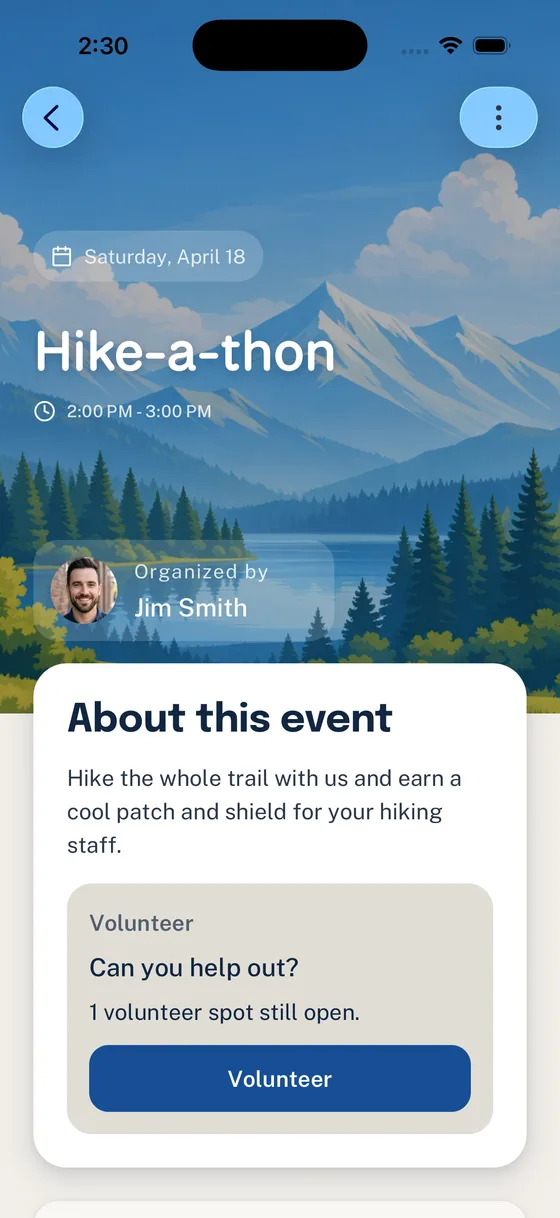
Group chat can ask for help. Woggle can keep the open role visible where the rest of the activity plan lives.
Woggle Chat Lives Inside Groups and Channels
Scout units are not one flat audience. Packs have dens, committees, event teams, new-family groups, and whole-unit spaces. Troops may have patrols, adult leaders, youth leadership structures, outing teams, and parent volunteers.
That is why Woggle includes Channels. A Channel can support the ordinary back-and-forth a unit expects from group chat, but it sits inside the unit’s Group structure instead of floating apart from the rest of the system.
When everything goes into one generic chat, families learn to skim. When leaders create too many side chats, nobody knows which one owns the real plan.
Woggle uses Groups and Channels to make audience decisions more explicit.

This still requires judgment. Software does not replace current Scouting America, council, chartered organization, or unit guidance. It can, however, help leaders keep chat in the right place: useful for conversation, visible to the right audience, and supported by Events, Announcements, RSVPs, and volunteer roles when the conversation turns into coordination.
Where Chat Still Fits
This should not become a tool fight. Chat is still useful, including inside Woggle Channels, for:
- informal parent conversation
- quick clarifying questions
- photos and celebration after an activity
- social chatter that does not need to become the official plan
- small working groups when your unit’s communication rules allow it
The boundary is simple: use chat for conversation, but do not make chat the only place families are expected to find the plan.
A Healthy Split for Scout Units
A practical unit stack might look like this:
- Scoutbook, Scoutbook Plus, council systems, or other official processes for required Scouting records
- Woggle Channels for group conversation tied to the right Unit or Group
- Woggle Events, Household RSVPs, Announcements, volunteer roles, reminders, and coordination follow-through for durable action
- informal chat outside Woggle only when your unit intentionally keeps that space for casual conversation
- email when your unit needs a longer summary or formal committee communication
For a broader workflow map, see Scoutbook, chat, and Woggle workflows and Scoutbook vs. Woggle: What Goes Where.
How to Explain the Change to Families
Use plain language. Families do not need a software lecture.
We are using Woggle for both unit conversation and the details families need to act on: Channels, Events, RSVPs, Announcements, volunteer roles, Groups, and reminders. If you need the current plan for a unit activity, check Woggle first.
That message sets the expectation without attacking the tools families already know.
The Bottom Line
Group chat helps people talk. Woggle gives Scout units group chat plus the coordination tools that make the conversation actionable.
If your unit mainly needs casual conversation, a group chat app may be enough. If leaders are rebuilding headcounts from reactions, reposting event details, chasing volunteer gaps, explaining which families saw which update, and answering the same “where is that?” question every week, the unit probably needs a more durable coordination layer.
Woggle is built for both parts: Channels for group conversation, plus Events, Household RSVPs, Announcements, volunteer roles, Groups, reminders, and family visibility, with official records staying where they belong.


