
Use this guide when a leader, parent, or committee member asks whether Woggle replaces Scoutbook. The short answer is no. Scoutbook and Scoutbook Plus are official Scouting systems. Woggle is a coordination layer for the work that surrounds unit life: Events, Household RSVPs, Announcements, Reminders, Groups, Volunteer Roles, and clearer family visibility.
The Short Version
Scout units usually need both official records and day-to-day coordination. Those jobs overlap in people’s calendars, but they should not be treated as the same thing.
- Use Scoutbook or Scoutbook Plus for official Scouting records, advancement, reports, and the recordkeeping workflows your unit and council expect.
- Use Woggle for practical unit coordination: what is happening, who needs to respond, which Household is attending, what volunteers are still needed, and which families have seen the update.
- Use chat, text, or email for quick conversation when your unit expects it, but do not let a message thread become the only source of event truth.
That split keeps Woggle useful without asking it to become an official advancement system.
If your Unit maintains its schedule in Scoutbook, connect a Scoutbook calendar to Woggle. Choose Copy once, Keep in sync, or View only so leaders know where future changes belong. This connects the Event schedule; it does not replace official advancement or membership records.
What Scoutbook Owns
Scoutbook is Scouting America’s official toolset for important Scouting workflows. Scouting America’s Scoutbook page describes Scoutbook as a place for tracking advancement, milestones, and Scouting activity. The Scoutbook Knowledge Base also describes Scoutbook Plus Calendar support for event descriptions, attendees, RSVP options, reminders, attendance, and permission-slip downloads when those settings are configured.
In practice, treat Scoutbook and Scoutbook Plus as the home for:
- advancement records
- rank, merit badge, and award tracking
- official unit or member records your council expects there
- advancement reports and purchase-related workflows
- activity logs where your unit uses Scoutbook Plus that way
- calendar records your unit has committed to maintaining there
If the question is “What is the official Scouting record?” the answer should not be Woggle. Keep that answer in Scoutbook, Scoutbook Plus, or the official system your unit is expected to use.
What Woggle Owns
Woggle is for the coordination work that leaders usually have to reconstruct from texts, spreadsheets, hallway conversations, and half-updated calendars.
That includes:
- Events with the details families need to act on
- Household RSVPs so leaders can plan around families, not isolated accounts
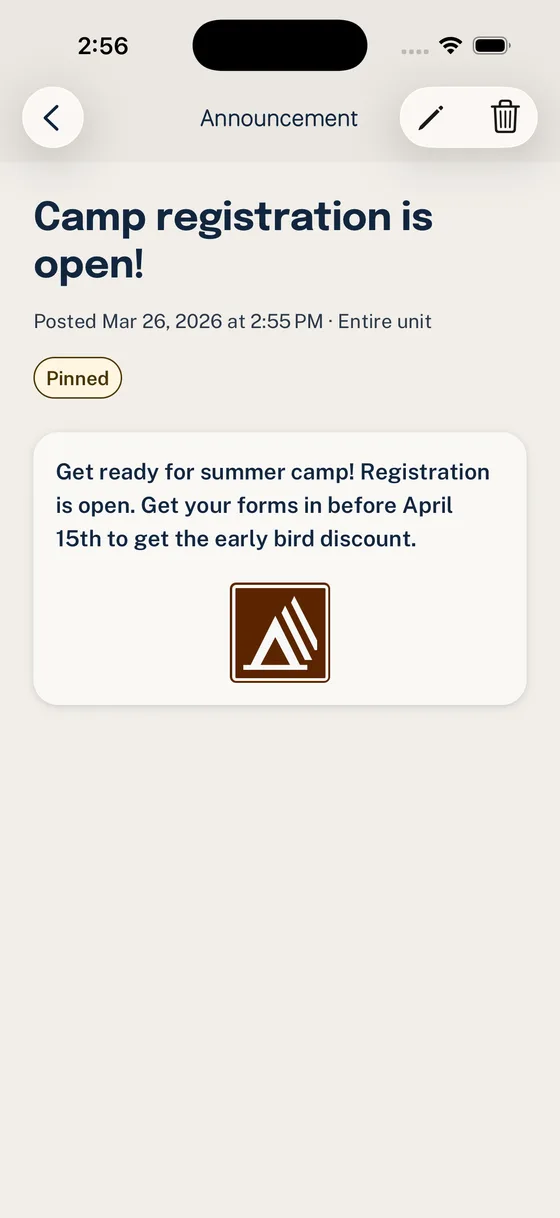
- Announcements that stay easier to find than a chat message
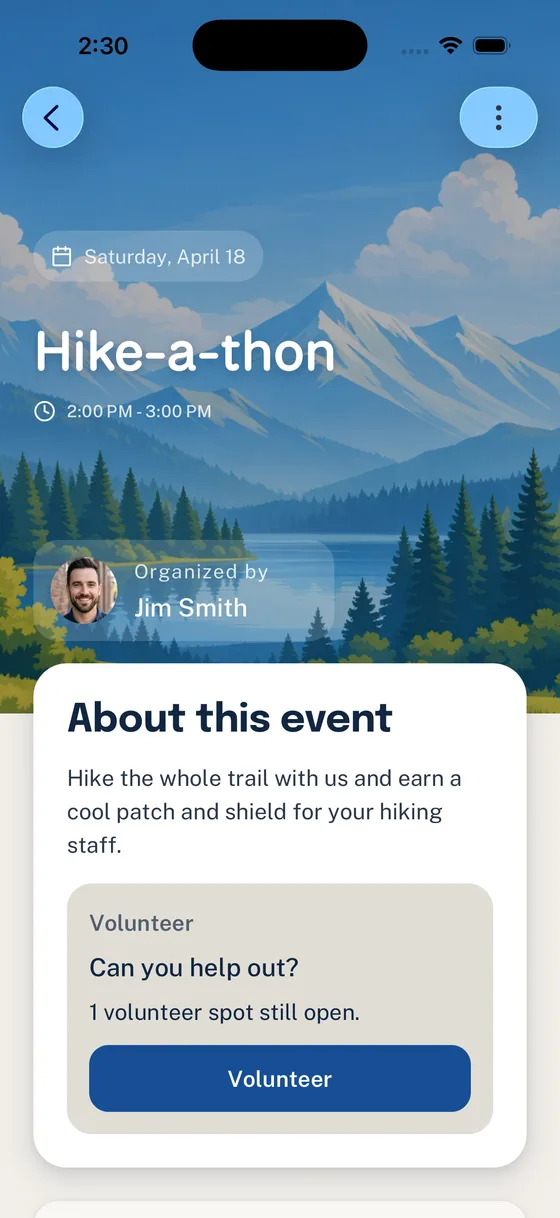
- Volunteer roles attached to the Event they support
- Groups or Channels for targeted unit communication
- Household context and family visibility around who can see and respond
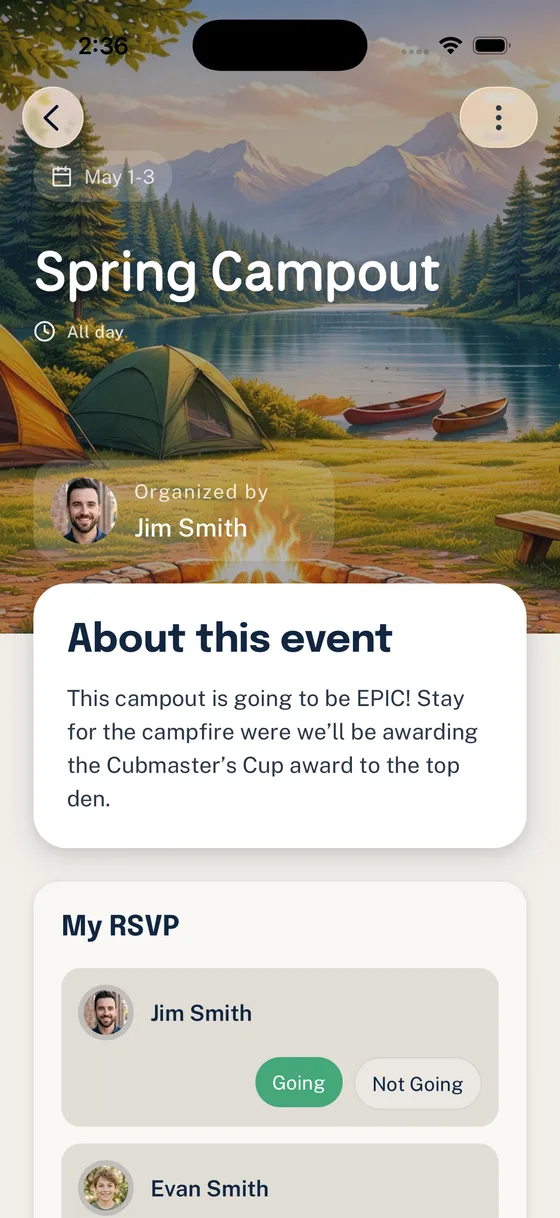
Woggle should answer a different question than Scoutbook:
What needs to happen next, who needs to respond, and which families can see the plan?
That is coordination, not official recordkeeping.
Decision Table
Use this table as a starting point for a committee discussion or Woggle rollout note.
| Unit work | Put it in Scoutbook / Scoutbook Plus | Put it in Woggle |
|---|---|---|
| Advancement records | Yes. This belongs in the official Scouting record workflow. | No. Woggle should not become a shadow advancement record. |
| Rank, merit badge, or award progress | Yes. Keep advancement connected to Scouting systems and unit process. | No. Woggle can remind families about an event, but it should not track advancement truth. |
| Event date and official calendar listing | Often yes, if your unit maintains Scoutbook Plus Calendar as the official calendar. | Yes for the practical Event families open to see details, RSVP, and volunteer needs. |
| Event details families act on | Maybe, depending on how your unit uses Scoutbook Plus Calendar. | Yes. Time, location, arrival notes, RSVP deadline, gear notes, and follow-up belong with the Event. |
| Household RSVP | Scoutbook Plus can support RSVP when the event is configured for it. | Yes. Woggle is built around Household-aware coordination and follow-through. |
| Volunteer roles | Usually not the main job. | Yes. Put the role next to the Event so families see what is still open. |
| Announcements and reminders | Use official Scoutbook features if your unit has trained families to rely on them. | Yes. Use Announcements to point families to the Event or action they need to complete. |
| Groups, dens, patrols, committees, or channels | Use official roster and permission structures where required. | Yes for targeted coordination, invites, and communication around active unit work. |
| Parent or guardian visibility | Scoutbook owns official parent/guardian relationships and access where applicable. | Woggle can support family visibility around coordination, Invites, Households, Events, and Announcements. |
| Youth Protection or policy decisions | Verify current Scouting America, council, and unit expectations. | Woggle can support safer communication patterns, but it does not replace policy, training, or adult judgment. |
What This Looks Like for a Campout
A clean campout workflow might look like this:
- Keep advancement, attendance expectations, and official records in the system your unit uses for Scouting records.
- Create the campout Event in Woggle with arrival time, return time, location, gear notes, cost, form reminders, and the RSVP deadline.
- Ask each Household to answer the RSVP.
- Add volunteer roles for drivers, trailer pickup, meal support, gear check, or cleanup.
- Send one Announcement that points families back to the Event instead of rewriting the whole plan in chat.
- After the campout, update official records in Scoutbook or Scoutbook Plus as appropriate.
How to Explain It to Families
Families do not need a lecture about software architecture. They need a plain rule.
Try this:
That explanation avoids a tool fight. It tells families what each system owns and why the unit is not asking one app to do every job.
Groups and Household Visibility
Scout units do not communicate with a generic audience. They communicate with dens, patrols, committees, event teams, parents, guardians, and Households that may include more than one Scout or adult.
Use Woggle Groups and Household context for coordination questions such as:
- Which den or patrol should receive this Event?
- Which parents or guardians need to see the Announcement?
- Which Household is answering the RSVP?
- Which leader group needs the volunteer follow-up?
Woggle can record registration status while a Unit Admin reviews a family request. That status does not submit or complete official registration, and it is separate from Unit access. See Review family requests for the Woggle process.
Official roster, permission, registration, and advancement records should still stay where your unit is expected to maintain them.
What Woggle Is Not
Woggle is not:
- a replacement for Scoutbook
- an advancement database
- an official Scouting America record system
- a substitute for council or unit policy
- a guarantee of Youth Protection compliance
- a place to move sensitive records just because they are inconvenient elsewhere
Woggle can support better communication habits: clearer Event context, family visibility, targeted Groups, and less reliance on private side texts. Leaders still need to follow current Scouting America guidance, council expectations, unit policy, and sound adult judgment.
Check Your Unit Boundary
Before rolling Woggle out, answer these questions with your committee or key leaders:
- Where do official advancement records live?
- Where does the official unit calendar live?
- Which Woggle Events should mirror calendar entries?
- Which details belong in the Woggle Event because families need to act on them?
- Which Groups should receive targeted Events or Announcements?
- Who is responsible for keeping Scoutbook and Woggle from drifting apart?
- What should parents check first for the next activity?
If you can answer those questions in plain language, the tool split is probably ready.
For a broader workflow view, read What Belongs in Scoutbook, What Belongs in Chat, and What Belongs Somewhere Else. For a first Woggle rollout checklist, use Woggle Quick Start for Unit Admins.
Still deciding which stack to use? Compare Scoutbook, GroupMe, and Woggle, then return here once the unit is ready to assign each workflow an owner.


