The easiest time to prevent a last-week camp scramble is three months before departure. Families need time to reserve the dates, plan for the cost, complete the required paperwork, and find missing gear. Leaders need time to see which questions are still open.
Four well-timed updates usually work better than one enormous camp email. Each update should cover what families need to do now and tell them when the next set of details will arrive.
Use the current materials from your council and host camp for registration, health records, medications, transportation, training, fees, and camp rules. Those requirements vary by camp and can change from year to year.
90 days out: get camp onto the family calendar
The first update should help a family decide whether their Scout plans to attend. Share the confirmed dates, host camp or general location, estimated cost, RSVP deadline, and the name of the person who can answer questions.
Keep the request simple. A message might read:
Summer camp is June 14–20. Please let us know by March 15 whether your Scout plans to attend so we can update our troop estimate. The camp fee is currently estimated at [amount]. We will share the registration guide and troop payment schedule as soon as they are ready. New to summer camp? Contact [name] with questions.
Say which details are still pending. Families will understand that program selections open later or that transportation assignments have not been made. They should not have to guess whether the dates or response deadline are firm.
First-time families may also need a short parent meeting or a one-page overview. Cover what a typical camp week looks like, what the unit provides, what comes from home, and when the next update will arrive. The first 30 days for new Scout families uses the same approach: answer the next practical question before introducing everything else.
60 days out: share the preparation details
By this point, send families to the camp’s current guide instead of copying requirements from an old email. Scouting America’s Annual Health and Medical Record guidance explains which record is used for Scouting activities and when a pre-participation physical is required for a long-term camp or event lasting 72 hours or more. The host camp or council may have additional instructions and deadlines.
Your 60-day update should include:
- the registration status and next payment deadline;
- a link to the current camp guide;
- the official form and health-record instructions;
- the preliminary travel plan;
- the first gear list, with camp and unit items clearly identified; and
- deadlines for program choices, swim checks, training, or other published preparation steps.
Give every deadline a date and a contact. “Forms are due soon” will get lost. “Review the camp’s 2026 health-record instructions before the April 20 parent meeting, and confirm by April 27 that your paperwork is underway” gives a family something they can finish.
Keep sensitive information in the process approved by the camp, council, and unit. A general chat or announcement is a good place for a deadline and a link; it is a poor place to collect health or medication details.
The campout planning checklist can help you keep the event dates, arrival details, RSVPs, and task owners together while official records remain in the proper system.
30 days out: follow up with the families who need it
Pull together the camp coordinator, Scoutmaster, committee chair, and the leaders responsible for travel or adult coverage. Review the current attendee list and write down what is still unresolved.
You may find:
- a family that has not answered the attendance request;
- a parent with a registration or form question;
- a Scout who has not submitted program choices;
- an adult who still needs to confirm a camp responsibility; or
- a first-time family that would benefit from a gear check or quick phone call.
Handle those as individual follow-ups. A new camp parent may need a plain explanation of what the troop supplies. A returning family whose packet is complete does not need another copy of the full instructions.
Do not ask anyone to post medication details, health information, or approval-sensitive documents in a general communication channel. Follow the current camp and council instructions and your unit’s approved process. Scouting America’s campout safety checklist includes documentation in event preparation, but that does not make the group message your record system.
Do not make one leader hold the whole plan together
Camp preparation gets fragile when the attendee list is in chat, payment notes are in email, gear questions are in text messages, and one volunteer is expected to remember how they fit together.
At the 30-day review, give every open item an owner, a place where the current answer is kept, and a next follow-up date. If the only record of a decision is one person’s memory, write it down in the appropriate place.
7 days out: send the final logistics
The last update should be short enough to read on a phone and complete enough to use while walking out the door.
Include the arrival or departure window, meeting point, travel expectations, current packing-list link, weather-related gear note, unit contact, and the place where last-minute changes will be posted. Put any change at the top. There is no need to attach the entire camp packet again.
For example:
Check-in is 8:15–8:35 a.m. Sunday in the north lot. The forecast calls for a cool first evening, so review the current packing list before leaving home. The camp guide and unit contacts are linked on the event page. We will post there if a travel delay changes the plan.
Summer camp countdown planner
Copy this table into your planning notes and fill it in with the current information from your camp and council.
| When | Family-facing checkpoint | Leader readiness check |
|---|---|---|
| 90 days | Dates, estimated cost, RSVP deadline, and one next action | Confirm camp week, expected attendance, payment schedule, and who answers first-time questions |
| 60 days | Registration path, official camp-guide link, form instructions, first gear list, and key choices | Verify current council/camp materials; name form, program, travel, and adult-coverage owners |
| 30 days | Personal follow-up only for unanswered RSVPs or remaining tasks; first-time-family support | Review open items by owner; keep health, medication, and approvals in the required process |
| 7 days | Arrival/departure, packing and weather note, contact path, and where changes appear | Confirm attendee list, travel plan, leader contacts, final camp guidance, and contingency communication |
Family-facing checklist
- I know the camp dates, arrival or departure plan, and the next deadline.
- I have opened the current camp or council guide, not an old forwarded copy.
- I know which official forms or health-record steps apply and where to ask questions.
- I can find the unit’s gear guidance and understand what the unit provides.
- I have told the unit promptly if our attendance, travel, or availability changed.
Leader readiness checklist
- Every countdown message has one purpose and one clear action.
- Camp-specific requirements link to the current host camp or council source.
- Open items have an owner and are not living only in a chat thread.
- First-time families have a named contact and a smaller orientation path.
- Final messages confirm the plan; they do not duplicate sensitive or stale paperwork instructions.
Using Woggle for camp updates
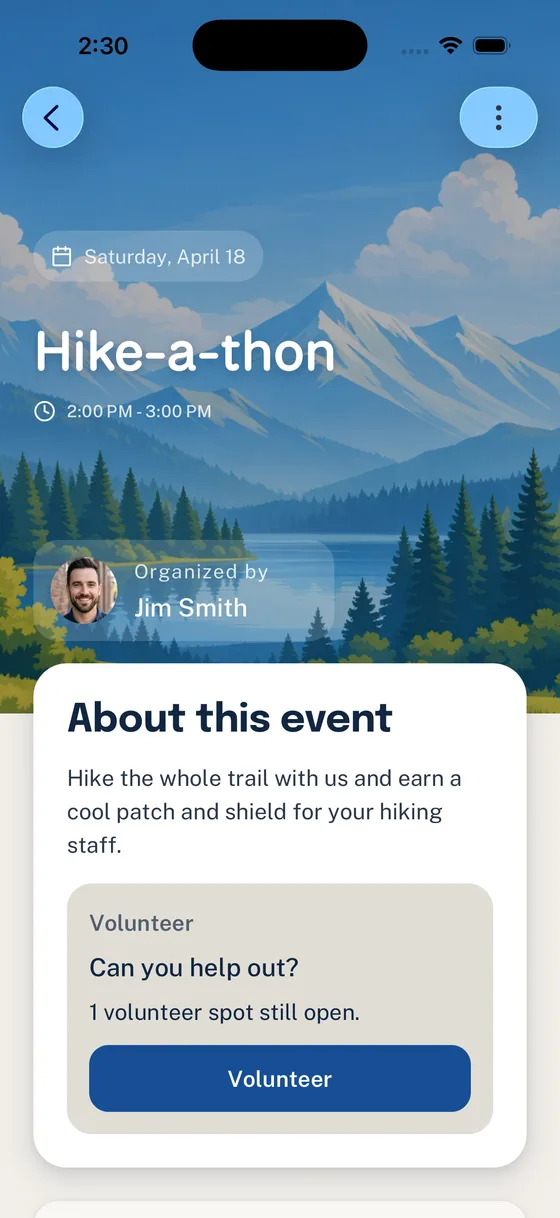
A unit using Woggle can keep camp coordination attached to one Event. Add the dates and practical logistics, collect Household RSVPs, post volunteer roles for specific needs, and use Announcements for the 90-, 60-, 30-, and 7-day updates. The campout Event guide walks through that setup.
Continue to use the camp, council, and unit’s approved systems for registration, official forms, medical information, transportation approval, training, and camp policy. Woggle gives families one reliable place to find the current logistics and their next action.
Download the countdown
Use the editable countdown CSV, add the four checkpoints to a calendar with ICS, or print the summer-camp countdown PDF.
Before you send another all-in-one camp email, check the calendar. Send the information families need at that point in the countdown, along with the date of the next update.