Use this guide when your pack is coordinating a Blue and Gold banquet and needs more than a calendar date. A banquet usually depends on family headcount, meal planning, program timing, awards or recognition, setup crews, cleanup, and last-minute reminders.
The goal is to make Woggle the working home for the banquet plan, so families know where to RSVP, what to expect, and where to check for the latest details.
What You Will Do
- Create one banquet Event with the details families need
- Set RSVP expectations for Scouts, adults, siblings, and guests
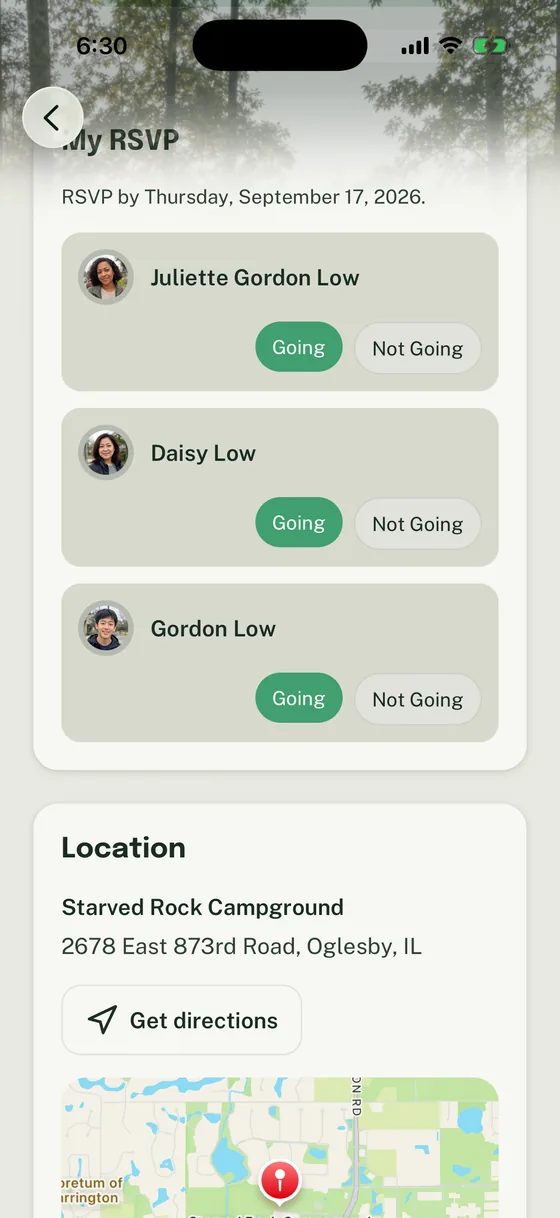
- Use Household RSVPs to support meal and room planning
- Add volunteer roles for setup, food, program, and cleanup
- Send short reminder Announcements that point back to the Event
- Use a final checklist before the banquet chair closes the plan
Woggle can coordinate the banquet details, RSVPs, volunteer roles, and reminders. It does not replace Scoutbook, advancement records, official awards records, payment handling, food allergy processes, Youth Protection guidance, council rules, venue requirements, or your pack’s own policies.
Before You Start
Gather the banquet details before opening the Event form.
| Prepare this | Use it for |
|---|---|
| Banquet date, time, and venue | Helping families plan around the event |
| Arrival, serving, program, and cleanup times | Setting expectations for families and volunteers |
| Who is invited | Clarifying Scouts, adults, siblings, guests, and leaders |
| Meal plan | Estimating food, seating, plates, and serving needs |
| RSVP deadline | Knowing when the count becomes actionable |
| Program roles | Keeping ceremonies, skits, awards, and transitions clear |
| Volunteer jobs | Turning vague help requests into claimable roles |
| Update owner | Giving families one practical contact for questions |
If the banquet includes payments, allergies, venue contracts, awards, or official recognition records, keep those items in the approved process your pack already uses. Put the practical coordination in Woggle; verify policy-sensitive details separately.
Step 1: Build One Banquet Event
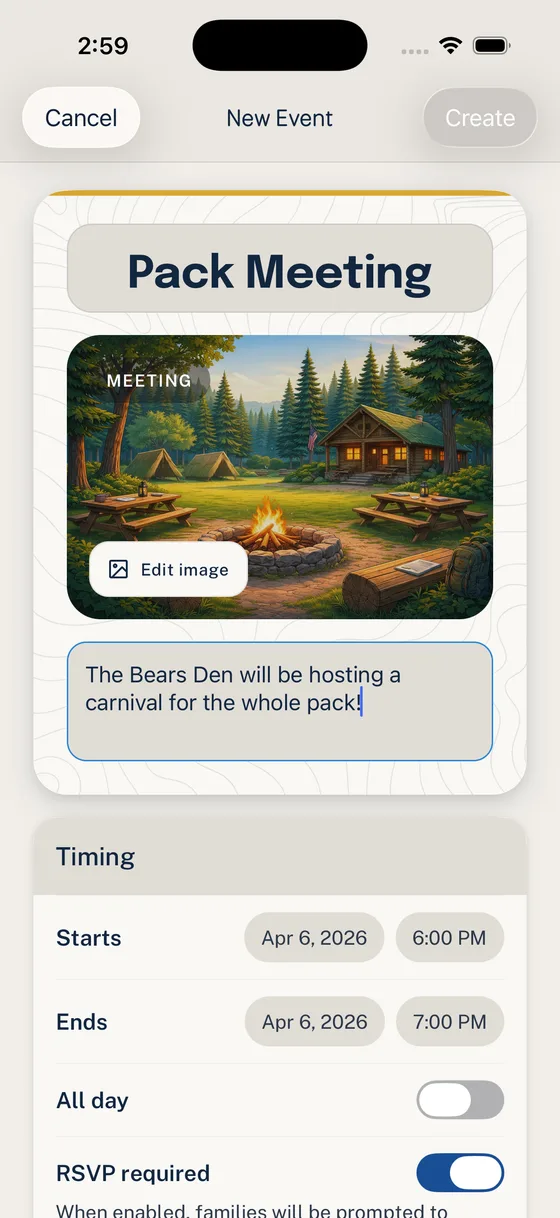
Create one Event families can recognize immediately. Use a plain title such as “Pack 312 Blue and Gold Banquet” instead of internal shorthand like “B&G.”
The Event description should answer the questions that usually become side texts:
- who should attend
- whether siblings, grandparents, or guests are included
- when families should arrive
- when food is served
- when the program starts
- what Scouts should wear
- whether families should bring food, supplies, or decorations
- whether payment or a separate form is required
- when the RSVP is due
- where updates will be posted
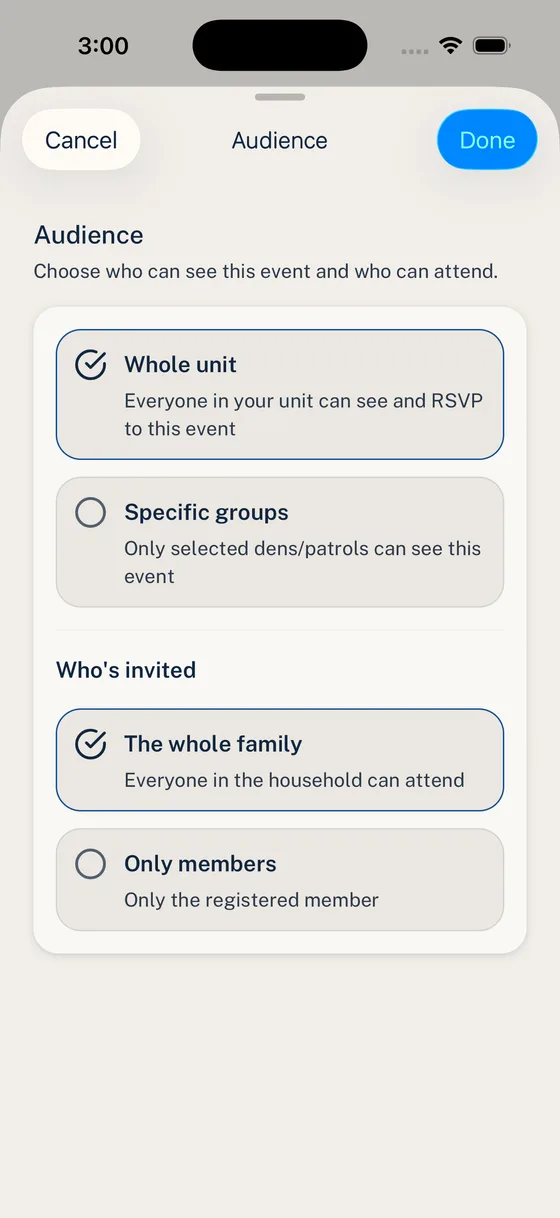
Most Blue and Gold banquets should go to the whole Unit audience because the full pack is usually invited. If your pack is planning with a committee, den leaders, or a banquet team before the family-facing Event is ready, use a narrower Group for planning updates and publish the family Event when the core details are stable.
Step 2: Ask for the RSVP Count
A banquet RSVP is usually a planning count, not just a calendar answer. Spell out exactly who should be included.
Use clear instructions:
- “Please RSVP by Sunday night.”
- “Mark each Household member who is attending.”
- “Include adults and siblings if they are eating.”
- “Only include guests if your family has confirmed they are coming.”
- “If your answer affects meal count or seating, update the RSVP before the deadline.”
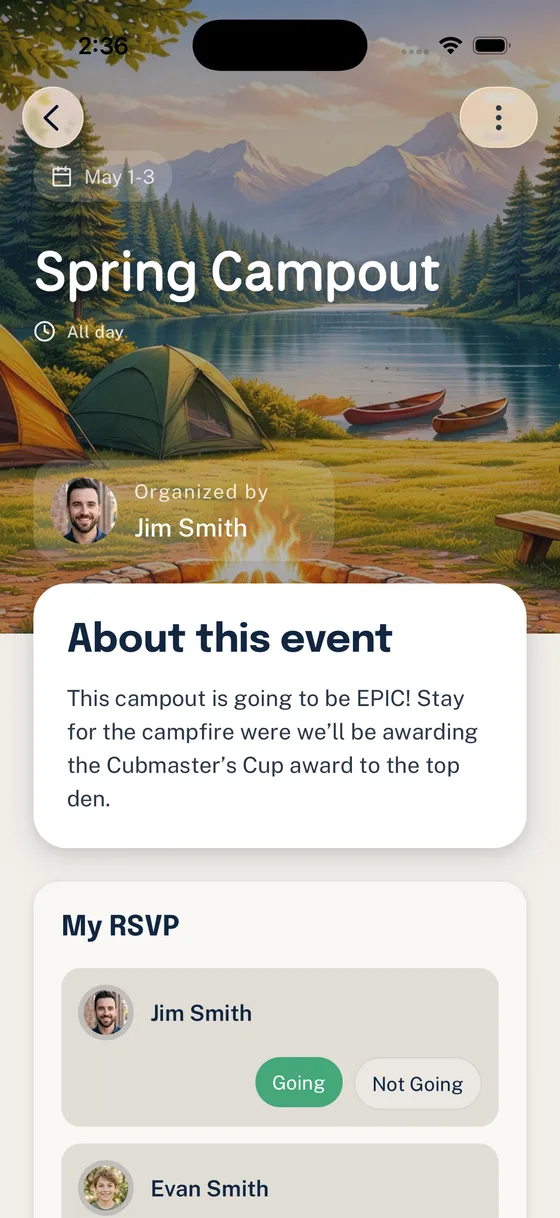
For meal planning, write down how your pack will treat unclear answers before the reminder goes out. For example: “Only Going responses will be included in the meal count after Sunday night.” That gives families a fair deadline and keeps the banquet chair from interpreting maybes by text.
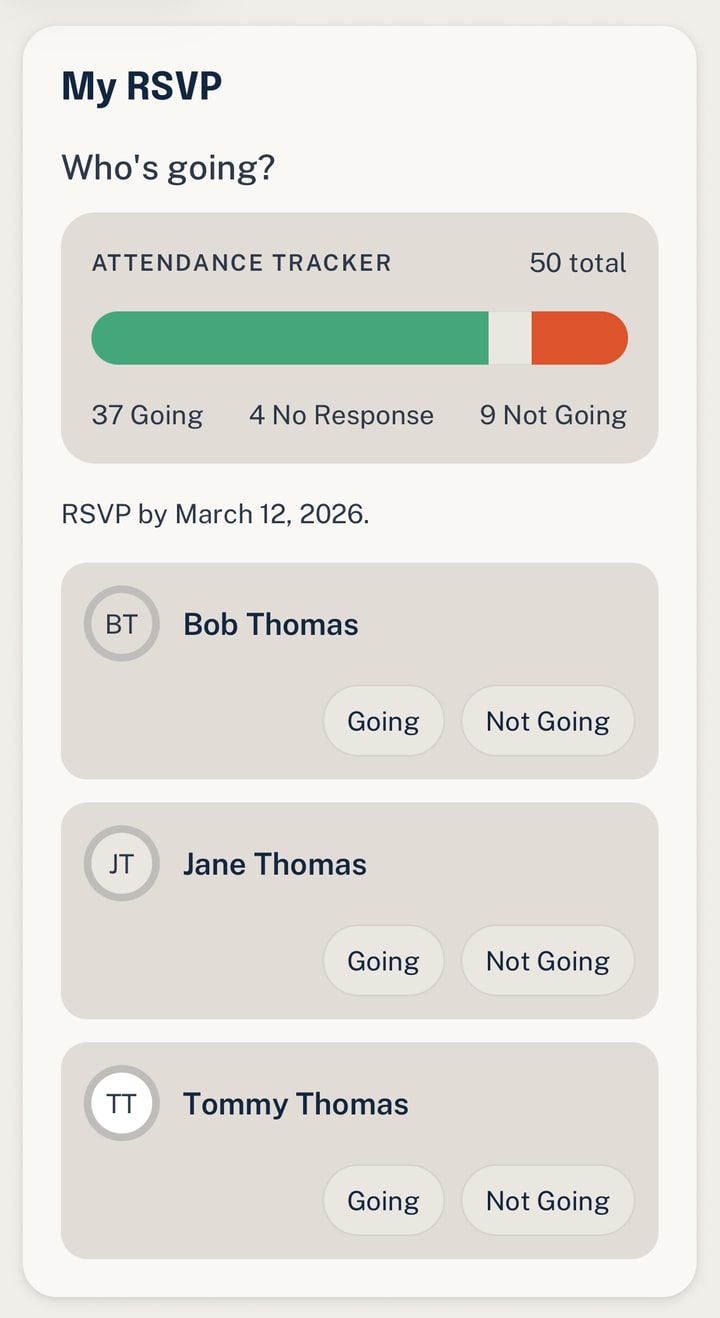
For a deeper walkthrough of the RSVP model, use How Household-Aware RSVPs Work in Woggle.
Step 3: Add Banquet Volunteer Roles
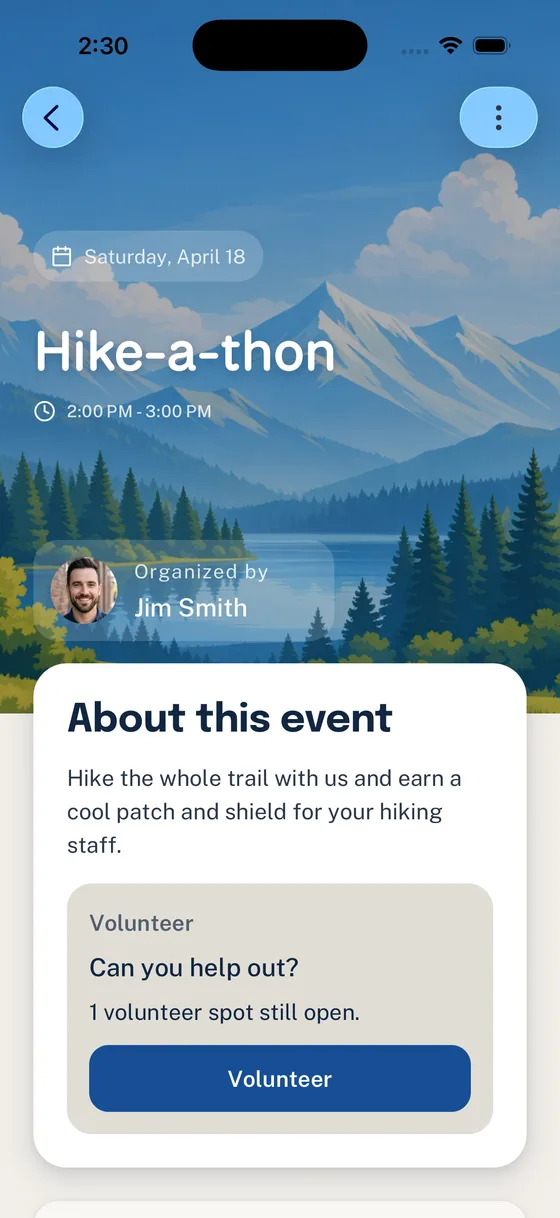
Blue and Gold banquets often need many small jobs. Volunteer roles work best when the ask is concrete enough that a parent can claim it without asking three follow-up questions.
Useful banquet roles include:
- setup helpers
- check-in table
- food pickup
- serving table lead
- drink station
- dessert table
- decorations
- program handouts
- photo area setup
- awards table support
- cleanup crew
- trash and recycling
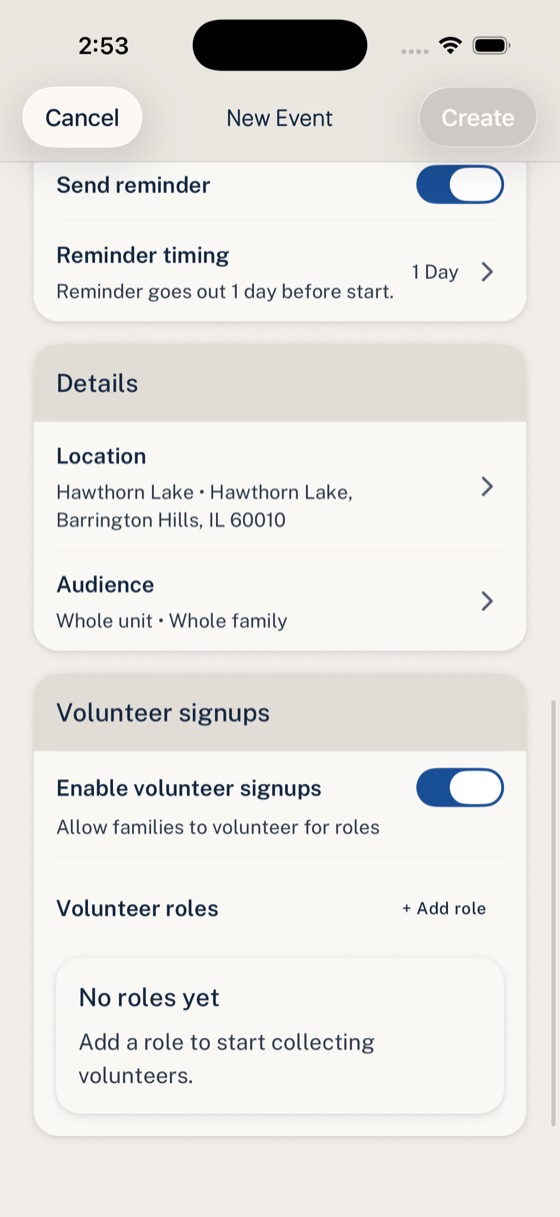
Each role should include the count, arrival time, and expectation. “Setup helper, 4 spots, arrive at 5:15 PM to arrange tables and chairs” is easier to claim than “help with setup.”
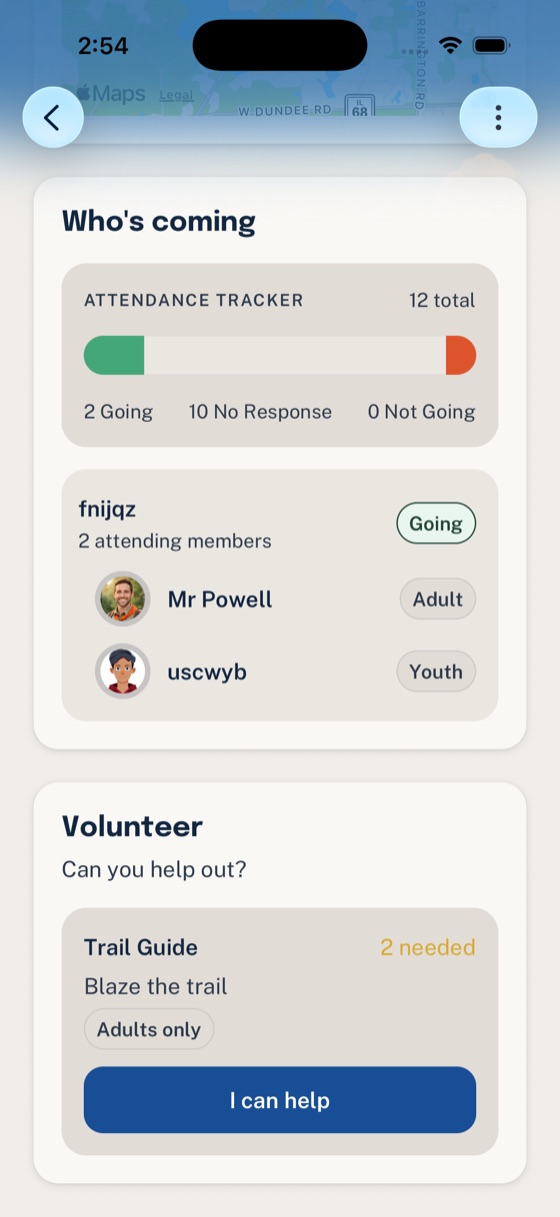
If a role involves money, food allergies, driving, youth supervision, or venue rules, state the coordination need in Woggle and verify the sensitive requirement through your pack’s approved process.
Step 4: Send Reminder Announcements
Use Announcements for reminders families should be able to find again after the first notification. Keep each Announcement short and point back to the Event for the full plan.
Good banquet reminders:
- RSVP deadline tomorrow
- meal count closes tonight
- setup volunteers still needed
- uniform or dress reminder
- arrival and parking note
- weather or entrance update
- final “what to bring” reminder
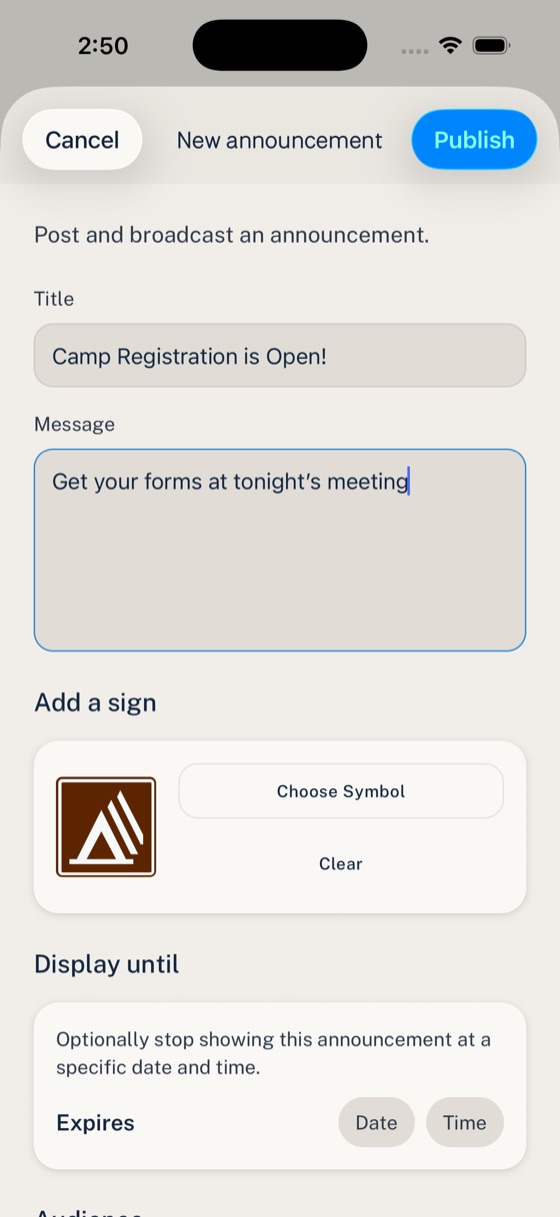
Choose the audience based on who needs the action. A meal-count deadline usually goes to the whole Unit. A setup reminder may only need the volunteers or leader Group if your pack has that structure.
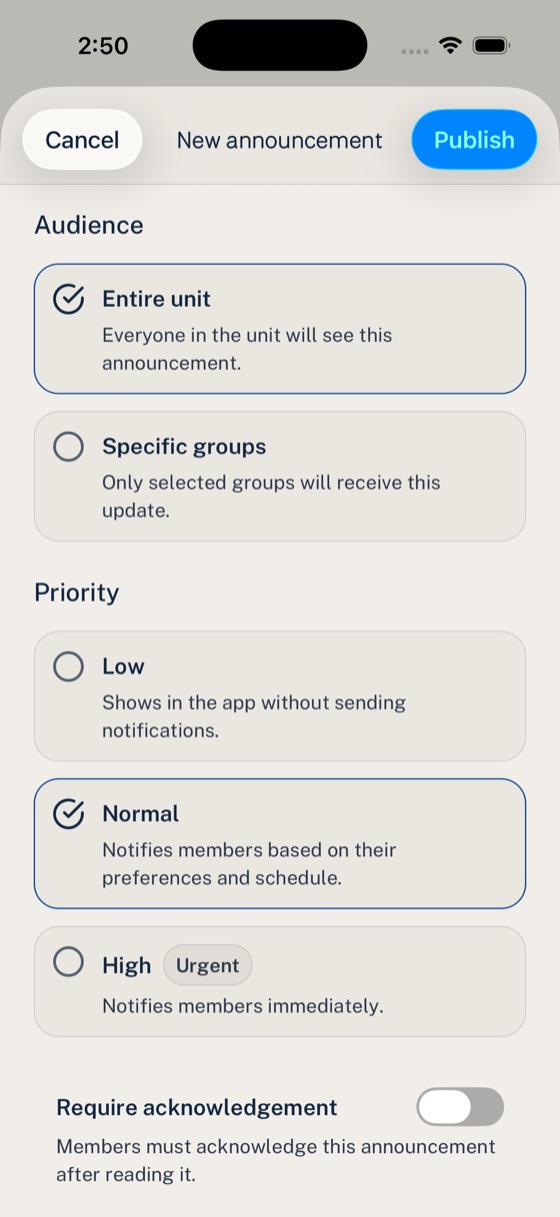
Simple reminder cadence
Use a calm rhythm:
- two weeks out: publish the Event and ask for RSVPs
- one week out: remind families about meal count and volunteer roles
- two or three days out: send final arrival, uniform, and parking details
- day before: send only true changes or last practical reminders
Avoid restarting the plan in every channel. If your pack still uses email or chat during rollout, use those messages to point families back to the Woggle Event.
Banquet Event Description Template
Event:Date:Arrival time:Meal time:Program start:Estimated end time:Location:Parking or entrance notes:
Who should attend:Adult attendance expectation:Sibling or guest plan:Uniform or dress:Meal plan:Cost or payment note:RSVP deadline:
What families should bring:Program or award notes:Volunteer needs:Primary contact:Where updates will be posted:
Trim the template for a simple pack dinner. Fill it out more completely when the banquet has potluck assignments, venue restrictions, payment deadlines, guests, or a longer program.
Copy/Paste Rollout Note
Use this when you publish the banquet Event:
Final Banquet Checklist
Before the RSVP deadline passes, confirm:
- The Event title, date, time, location, and arrival notes are current.
- The Event audience is the right Unit or Group.
- The description says whether adults, siblings, and guests are included.
- The RSVP deadline matches the meal planning deadline.
- Volunteer roles have clear counts, arrival times, and expectations.
- The banquet chair knows where to check Going, Not Going, and No Response.
- Payment, allergy, awards, and venue requirements are handled through the pack’s approved process.
- Reminder Announcements point families back to the Event instead of creating a second version of the plan.
Common Mistakes
Treating the RSVP like a casual yes
For a banquet, the RSVP may affect food, seats, supplies, and setup. Tell families which Household members to include and when the count closes.
Hiding volunteer asks in the description
If setup, serving, decorations, or cleanup need owners, make them volunteer roles instead of burying them in a paragraph.
Splitting the plan across too many messages
Use the Event as the source of truth. Announcements, email, or chat can remind families where to look, but they should not become competing versions of the banquet details.
Mixing official records with coordination
Use Woggle for the practical banquet workflow: Event details, RSVPs, volunteer ownership, and reminders. Keep official records, payments, awards, allergy handling, and policy checks in the systems your pack is expected to use.
Next Step
After the banquet, look at what worked: did families RSVP earlier, did volunteer roles get claimed, and did the banquet chair spend less time answering the same questions? Use that pattern for the next pack activity that needs a real count, visible volunteers, and reminders families can find.